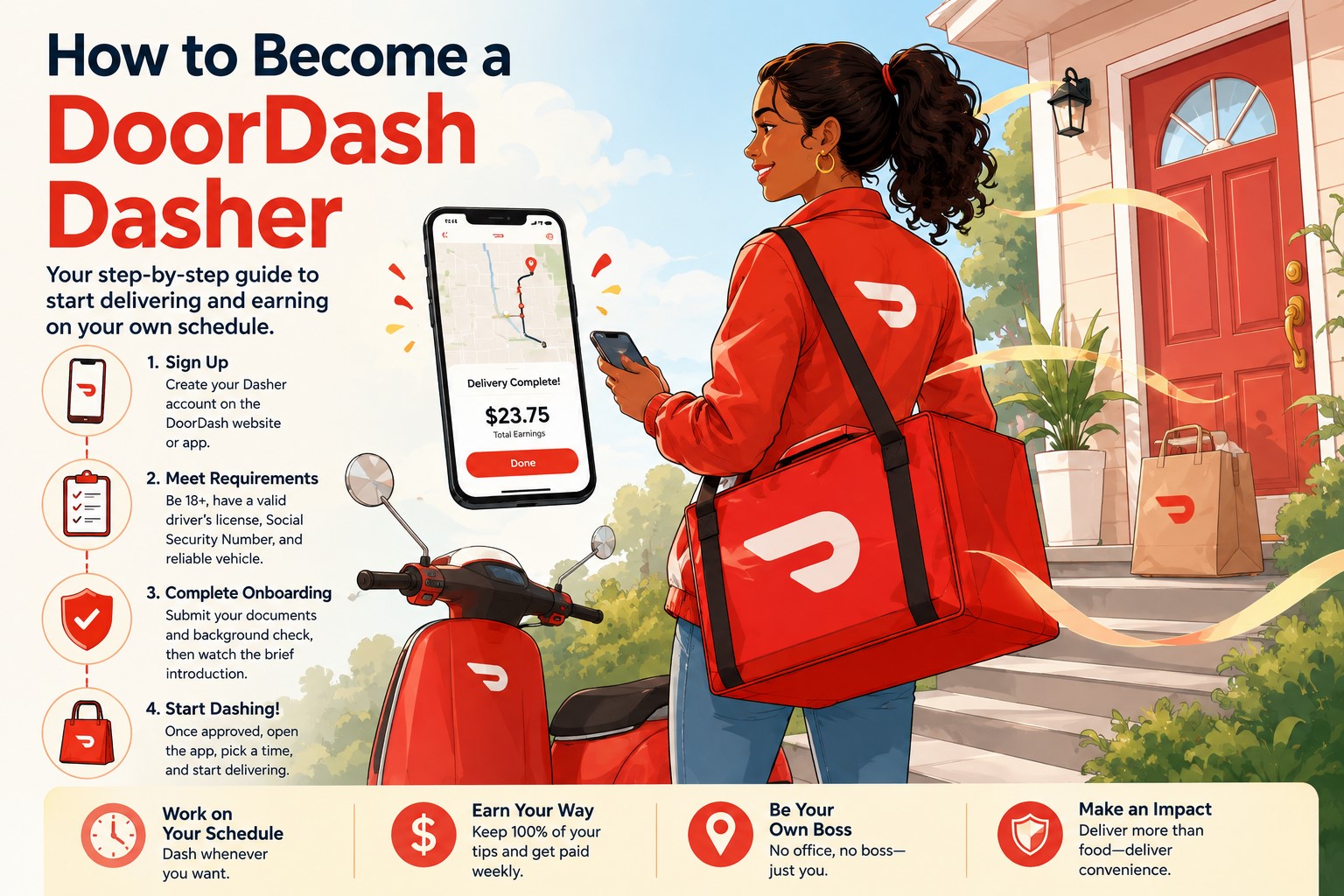
Becoming a DoorDash driver is one of the easiest ways to start earning money through delivery work in the United States.
You do not usually need a traditional résumé, a formal job interview or previous delivery experience. You complete the online application, verify your identity, consent to a background check and wait for DoorDash to activate your account.
The signup itself can take only a few minutes. However, approval may take longer depending on your background check, identity verification, local driver demand and whether DoorDash is currently accepting new Dashers in your area.
I have worked as a DoorDash Dasher for more than five years, and I know that the application can feel confusing when you do not know what happens next. Some applicants are approved quickly, while others get stuck on identity verification, a pending background check or a local waitlist.
This guide explains how to become a DoorDash driver in 2026, including the current age requirements, required documents, vehicle rules, background-check process and common application problems.
What Is a DoorDash Driver?
A DoorDash delivery driver is commonly called a Dasher.
Dashers use the DoorDash platform to accept delivery opportunities from restaurants, grocery stores, convenience stores, retail businesses and other participating merchants.
A typical delivery involves:
- Receiving an offer through the Dasher app
- Reviewing the estimated payout and mileage
- Accepting or declining the offer
- Driving to the merchant
- Picking up the order
- Delivering it to the customer
- Confirming the delivery in the app
Depending on your market and preferences, you may also receive:
- Restaurant deliveries
- Grocery orders
- Shop and Deliver offers
- Alcohol deliveries
- Retail deliveries
- Catering orders
- Package deliveries
- Cash on Delivery orders
DoorDash says it operates in more than 7,000 US cities, although the types of deliveries and transportation methods available vary by location.
DoorDash Driver Requirements in 2026
DoorDash’s basic requirements are relatively simple, but they are not exactly the same in every state.
In general, you will need:
- To meet the minimum age requirement in your state
- A smartphone
- A valid email address and phone number
- A Social Security number
- A valid US government-issued ID
- A qualified mode of transportation
- A valid driver’s license when using a motor vehicle
- Valid automobile insurance when delivering by car
- To pass identity verification
- To consent to a background check
DoorDash may also require additional information depending on your location, transportation method and the types of orders you want to complete.
How Old Do You Have to Be to Drive for DoorDash?
Most prospective Dashers in the United States must be at least 18 years old.
However, DoorDash currently applies higher minimum ages in certain states.
You must be at least 19 in:
- Arizona
- Colorado
- Delaware
- Florida
- Georgia
- Idaho
- Kentucky
- Montana
- New Jersey
- New Mexico
- Texas
- Utah
- West Virginia
You must be at least 21 in:
- California
Applicants in other US states are generally required to be at least 18. DoorDash may also require you to be 21 or older to receive alcohol-delivery offers.
Because these rules can change, review the age requirement displayed during your application.
Do You Need a Car to Drive for DoorDash?
You do not necessarily need a car.
Depending on your city, DoorDash may allow delivery using:
- A car
- A motorcycle
- A scooter
- A bicycle
- An e-bike
Not every transportation option is offered in every market. Bicycle and scooter delivery are generally more common in densely populated cities.
DoorDash says there is no nationwide requirement for a specific car make, model or model year. You can generally use any car as long as you have a valid driver’s license, valid insurance and a vehicle that can be operated legally and safely.
That makes DoorDash different from some passenger rideshare platforms that may impose more detailed vehicle-age and condition requirements.
Can you use an older car?
Yes, generally. DoorDash does not currently publish a nationwide maximum vehicle age.
However, an older vehicle may require:
- More maintenance
- More frequent repairs
- Higher fuel costs
- Additional emergency preparation
The question is not only whether DoorDash allows the car. You should also decide whether using that vehicle will leave you with enough profit after fuel and maintenance.
Can you DoorDash with a rental car?
DoorDash does not publish one simple nationwide rule covering every rental arrangement.
The more important issue is whether:
- The rental agreement permits delivery work
- The vehicle is properly insured
- You have the documentation required by DoorDash and local law
Do not assume a normal personal rental automatically allows commercial delivery use.
Can you DoorDash with someone else’s car?
You may be able to use a vehicle you do not personally own, provided you are legally allowed to drive it and the insurance covers you and your delivery activity.
Contact the insurer before beginning. A personal auto policy may exclude food or package delivery.
Do You Need a Driver’s License?
You need a valid driver’s license when delivering with a car, motorcycle or another motor vehicle.
A bicycle Dasher may be able to use another accepted US government-issued ID instead of a driver’s license. DoorDash’s current signup requirements list a driver’s license or another form of identification for bike-only Dashers.
A temporary paper driver’s license is not accepted for DoorDash’s identity-verification process. Applicants should generally wait for the permanent physical document or use another accepted government-issued ID when eligible.
Do You Need Car Insurance?
Yes, when delivering by car.
DoorDash says drivers can use any car, but they need a valid driver’s license and insurance.
You should also verify that your insurance policy covers delivery work.
Some personal auto-insurance policies exclude accidents that occur while the vehicle is being used for paid delivery. You may need:
- A delivery endorsement
- Rideshare coverage that includes delivery
- A commercial policy
- Another form of coverage accepted in your state
Do not rely only on the fact that DoorDash maintains certain insurance protections. Those protections are limited, depend on the circumstances and do not replace your responsibility to maintain appropriate personal coverage.
Do You Need a Social Security Number?
DoorDash requires a Social Security number as part of the signup and background-check process.
DoorDash says the Social Security number is used for the background check and to determine contractor eligibility.
Enter your number carefully. A typing error can delay or prevent the background check from being completed.
Your name, date of birth and Social Security number should match official records.
What Documents Do You Need?
Before beginning your application, prepare:
- Your Social Security number
- Your current home address
- Your email address
- Your mobile phone number
- Your valid driver’s license, when applicable
- Another accepted government ID, when applicable
- Vehicle and insurance information
- Bank-account information for direct deposit, although you may be able to add it later
DoorDash’s identity-verification provider currently accepts the following valid US government-issued documents:
- Driver’s license
- State identification card
- US passport
- US passport card
- Permanent Resident Card
- Employment Authorization Card
DoorDash currently says the following will not be accepted:
- Expired identification
- Non-US identification
- School IDs
- Company badges
- Bank cards
- Social Security cards
- Temporary paper licenses or state IDs
- Photocopies
- Screenshots
- Electronic replicas
- License plates
Use a physical, valid document that clearly shows your photo and identifying information.
How to Sign Up as a DoorDash Driver
The DoorDash application process is completed online.
Here is the complete step-by-step process.
Step 1: Visit the DoorDash Dasher Signup Page
Begin through DoorDash’s official Dasher website or the Dasher app.
You will initially be asked to provide:
- Your ZIP code
- Your email address
- Your phone number
The ZIP code helps DoorDash identify your delivery market and determine whether it is currently accepting new drivers.
Use an email address and phone number that you regularly access. DoorDash and its background-check provider may send important notices through both.
Be careful with unofficial websites claiming that they can activate your Dasher account or move you ahead of a waitlist.
Step 2: Create Your Dasher Profile
Enter your full legal name and create a password.
Your legal name should match:
- Your government-issued ID
- Your Social Security records
- Your driver’s license
- Your background-check information
Do not use a nickname when the application asks for your legal name.
For example, someone named Jonathan should not enter Jon unless Jon is the name displayed on the person’s legal documents.
Even a small mismatch can create problems with identity verification or the background check.
Step 3: Download the Dasher App
DoorDash will direct you to download the Dasher app for iPhone or Android.
The Dasher app is different from the regular DoorDash customer app.
The customer app is used to order food. The Dasher app is used to:
- Finish the signup process
- Check your application status
- Schedule dashes
- Accept deliveries
- Review earnings
- Track ratings
- Contact support
Download only the official app published by DoorDash.
Step 4: Select Your Vehicle Type
Choose the transportation method you plan to use.
The available choices may include:
- Car
- Motorcycle
- Scooter
- Bicycle
- E-bike
Your choice affects the type of background check and delivery opportunities you may receive.
Applicants who select a motor vehicle may undergo both:
- A criminal-history check
- A motor-vehicle-record check
Bicycle applicants generally do not need the motor-vehicle-record portion.
Choose your actual transportation method. Do not select bicycle simply to avoid the motor-vehicle check when you intend to deliver by car.
Step 5: Provide Your Address
Enter your current residential and mailing information.
DoorDash may use this address for:
- Identity and background-check records
- Tax information
- Your free Dasher welcome gift
- Account communications
Review the address carefully before submitting it.
An incorrect mailing address can delay your Red Card and hot bag.
DoorDash allows new Dashers to confirm or update the address used for their welcome gift later in the onboarding process.
Step 6: Complete Identity Verification
DoorDash requires applicants to verify that they are the person creating the account.
Full identity verification generally involves:
- Uploading a valid government-issued ID
- Taking a selfie or short face scan that matches the ID
DoorDash currently uses vendors such as Persona to help complete this process.
Tips for photographing your ID
Place the ID on a flat surface and make sure:
- All four corners are visible
- The image is not blurry
- The text can be read
- Your face is clearly visible
- Your fingers are not covering anything
- There is no excessive glare
- The correct document type is selected
A darker background can make the edges of an ID easier to detect.
For a passport, open it to the main identification page and make sure the machine-readable section at the bottom is completely visible.
Tips for the selfie or face scan
- Remove sunglasses
- Use good lighting
- Keep your face fully visible
- Follow the on-screen instructions
- Turn your head when prompted
- Allow camera permission
- Avoid heavy shadows or glare
Use your personal device when possible. DoorDash warns that signup attempts made on public or shared devices can be flagged as high risk and blocked.
What happens if identity verification fails?
DoorDash may allow you to try again.
However, several unsuccessful attempts may result in a failed verification. When that happens during signup, you may be unable to continue the application.
Do not repeatedly submit blurry photos. Stop, improve the lighting, clean the camera lens and carefully follow the instructions before trying again.
Step 7: Consent to the Background Check
All prospective Dashers must pass a background check before receiving access to the DoorDash platform.
DoorDash currently uses accredited third-party providers, including Checkr, to conduct the screening.
The check may include:
Criminal-history report
The screening may search records connected to your identity.
Motor-vehicle report
This applies when you indicate that you will use a motor vehicle.
The report may review information associated with your driving history.
DoorDash also says background checks can be rerun for existing Dashers, and continuous monitoring may report certain new records after activation.
Passing the initial screening does not mean you will never be screened again.
How Long Does a DoorDash Background Check Take?
Many DoorDash background checks are completed within one day.
However, DoorDash says it is not uncommon for the process to take one or two weeks because of delays involving:
- State motor-vehicle agencies
- County courts
- Local record systems
- Missing information
- Additional documentation
- Manual review
DoorDash’s detailed background-check FAQ also says the process may commonly take five to seven business days and sometimes longer.
There is no guaranteed approval time.
DoorDash cannot normally speed up a report that is still being compiled by Checkr. Check the Checkr Candidate Portal for the latest status and any request for additional information.
Understanding DoorDash Background-Check Statuses
The wording can be confusing, especially when Checkr says the report is complete but DoorDash has not activated the account.
Here is what the common statuses generally mean.
Clear
A Clear status means the background-check step has been successfully completed and you can move forward.
However, DoorDash notes that some markets may have a waitlist even after a clear report. In that situation, you may need to wait for an activation or welcome email.
Pending
Pending means Checkr is still processing the report.
Log in to the Candidate Portal to see whether Checkr needs:
- Additional identification
- An address history
- A corrected Social Security number
- Another supporting document
When no additional action is requested, you generally need to allow the screening to continue.
Suspended
A suspended background check usually means Checkr needs additional information or documentation before it can continue.
Check your email, including the spam folder, for a message from Checkr. You can also review the Candidate Portal.
Consider
Consider means the report has been completed and sent to DoorDash for additional review.
It does not automatically mean that your application has been rejected.
DoorDash says these reviews are typically completed within five business days. Watch your email for notices explaining the result or requesting action.
Canceled
Canceled means the background check could not be completed.
Possible causes include:
- Missing personal information
- Incorrect personal information
- Withdrawal of consent
- Other verification problems
A canceled report cannot simply be reviewed because no complete report exists. DoorDash says applicants generally need to contact Dasher Support and request a new background check.
Complete
“Complete” is a Checkr term meaning the provider has finished compiling the report.
It does not necessarily mean the report is clear or that DoorDash has approved the applicant.
Review the Candidate Portal to determine whether the result is:
- Clear
- Consider
- Pending further review
- Requiring additional action
Disputed
A disputed status means you challenged information on the background report and Checkr is reviewing the dispute.
DoorDash says a dispute can take up to 30 days. If you provide new documentation late in the process, Checkr may receive an additional 15 days to complete its investigation.
What Is a Pre-Adverse Action Notice?
You may receive a Pre-Adverse Action Notice when information in your background report could affect your eligibility.
Do not ignore this email.
The notice should include:
- A copy of the report
- The information causing concern
- Instructions for disputing inaccurate information
- A deadline for responding
- Information about providing additional context
DoorDash currently says a prospective Dasher generally has 14 days after the notice is sent to dispute inaccurate results or submit additional information for consideration.
When the information is incorrect, file a dispute through Checkr.
Examples of possible errors include:
- A record belonging to another person
- Incorrect dates
- An outdated record
- Incorrect disposition information
- A charge that was dismissed but reported incorrectly
When the report is accurate but you want DoorDash to consider additional circumstances, follow the instructions in the notice.
What Can Disqualify You From DoorDash?
DoorDash does not publish a simple list guaranteeing approval or rejection for every offense.
The result can depend on:
- The type of record
- How long ago it occurred
- Whether it relates to driving or delivery work
- The seriousness of the incident
- Applicable federal, state and local laws
- Whether the information is accurate
- DoorDash’s current eligibility standards
Possible concerns may include serious driving offenses, recent dangerous-driving records, violent offenses, theft-related offenses or other records considered relevant to platform safety.
However, having any record does not automatically tell you the final result. Complete the application and allow DoorDash to conduct the required individualized review.
Step 8: Complete the Onboarding Checklist
After submitting the background check, you should see an onboarding checklist in the Dasher app.
The remaining tasks may include:
- Confirming your mailing address
- Selecting a payout method
- Reviewing app tutorials
- Completing account details
- Activating available features
Finish every required item.
An incomplete onboarding step can make an approved application appear stuck.
Step 9: Choose How You Want to Be Paid
DoorDash may ask you to choose between available payout methods.
Options may include:
Weekly direct deposit
Add your bank account and routing information to receive a weekly transfer.
DoorDash Crimson
Eligible Dashers may choose DoorDash Crimson and receive earnings automatically after each dash without an Instant Pay fee.
Fast Pay
Eligible Dashers may later use Fast Pay to transfer available earnings to a qualifying debit card. Fees and security requirements may apply.
DoorDash’s current signup flow allows applicants to choose an instant option through Crimson, add a bank account for weekly deposits or choose a payment method later.
Double-check your banking details. An incorrect routing or account number can delay your money.
Step 10: Wait for Activation
After completing the required steps, DoorDash will determine whether you are eligible to begin dashing.
DoorDash says most approved Dashers begin earning within days, but this is not guaranteed.
Approval may be delayed by:
- Background-check processing
- Identity-verification problems
- Missing application information
- Account duplication
- Technical issues
- A local waitlist
- Additional review
Watch your email, text messages and Dasher app for updates.
Does DoorDash Have a Waitlist?
Yes, some locations may temporarily place new applicants on a waitlist.
This typically happens when DoorDash already has enough active Dashers to meet expected customer demand.
You can complete the background check successfully and still be unable to start immediately.
DoorDash specifically notes that some locations may have a waitlist even after the applicant receives a clear background-check status. The applicant must wait for a welcome email before beginning.
How long is the DoorDash waitlist?
DoorDash does not publish one standard waitlist length.
It may depend on:
- Your ZIP code
- Customer demand
- Seasonal volume
- Number of active Dashers
- Local expansion
- Driver turnover
The wait could be short or continue for weeks or longer.
Can support remove you from the waitlist?
There is usually no guaranteed way for support to bypass a legitimate market-capacity waitlist.
Avoid anyone offering to sell you an active Dasher account or promising immediate activation. Using another person’s account can create serious identity, tax, safety and deactivation problems.
How to Check Your DoorDash Application Status
To return to an unfinished application:
- Open the Dasher app or DoorDash Dasher signup website.
- Choose the option for applicants who have already started signing up.
- Enter the email address and phone number used during signup.
- Log in using your password.
- Review the current status and any incomplete steps.
DoorDash says the signup page will show whether information is missing or display the current application status.
Also check:
- Your email inbox
- Spam or junk folders
- Text messages
- The Checkr Candidate Portal
- The onboarding checklist in the Dasher app
What to Do When Your DoorDash Application Is Stuck
The correct solution depends on where it is stuck.
Application Stuck on Identity Verification
Try these steps:
- Use a personal phone rather than a shared device
- Clean the camera lens
- Use bright, indirect lighting
- Remove glare
- Place the ID on a flat surface
- Capture all four corners
- Select the correct ID type
- Allow camera access
- Remove glasses for the face scan
- Try another accepted ID when available
Do not submit screenshots or copies of your ID. DoorDash requires a valid physical US government-issued document.
Application Stuck on Background Check
Log in to the Checkr Candidate Portal.
Look for:
- A request for more information
- An estimated completion date
- A suspended status
- An inaccurate personal detail
- A dispute option
DoorDash cannot usually expedite a report still being processed by Checkr.
Background Check Says Complete but DoorDash Is Still Pending
Check whether the result says Clear or Consider.
Complete only means Checkr has finished compiling the report. DoorDash may still need to review it.
Allow time for the review and monitor your email.
Application Says Phone Number Is Already in Use
This may happen when:
- You previously created a Dasher account
- Your phone number is attached to a customer account
- The number previously belonged to someone else
- You created duplicate applications
Try signing in instead of creating another account.
DoorDash says an existing customer account can be merged with a new Dasher profile when the same information is used.
Contact support when you cannot access the existing account.
You Entered the Wrong Name, Address or Phone Number
Do not create multiple new applications.
DoorDash instructs applicants who need to change signup information to contact Dasher Support and provide the corrected details.
Duplicate accounts may make the situation more complicated.
You Never Received an Approval Email
Check:
- Spam
- Promotions
- Junk mail
- Blocked senders
- The email address entered during signup
- Your Dasher app
- The Checkr Candidate Portal
You may also log back into the signup page to view your status.
How to Contact DoorDash Dasher Support
DoorDash currently offers Dasher support through the app by chat or phone.
Its published Dasher support number is:
855-431-0459
DoorDash says chat and phone support are available 24/7.
When contacting support about signup, prepare:
- Your full legal name
- The email used for the application
- The phone number used for the application
- A screenshot of the error
- The exact onboarding step
- Your background-check status
Do not send sensitive information such as your full Social Security number through an insecure message or to an unverified caller.
Do You Have to Pay to Become a Dasher?
You should not pay a recruiter or third party to create or activate a DoorDash account.
DoorDash may sell optional branded gear, but you do not need to purchase a large equipment package merely to submit an application.
New Dashers may qualify for a free welcome gift after completing their first offer and submitting a mailing address. DoorDash currently says the gift includes:
- A hot bag
- A Red Card
- A Getting Started Manual
DoorDash estimates that the package generally takes three to seven business days to arrive after it is processed.
Can You Start Before the Red Card Arrives?
Many new Dashers can begin with ordinary prepaid restaurant deliveries that do not require the Red Card.
The Red Card is mainly used for eligible orders where the Dasher needs to pay at the merchant, including certain Shop and Deliver offers.
The app should avoid assigning an order requiring the physical Red Card until your account is eligible and the card has been activated.
Do not use your personal debit or credit card unless the app specifically provides an authorized reimbursement process and you fully understand the terms.
What Is the DoorDash Welcome Gift?
After completing the first qualifying offer and confirming your mailing address, DoorDash may send a free welcome gift.
DoorDash currently says it contains:
- A food-warming bag
- A Red Card
- A Getting Started Manual
You should receive tracking information by email. Contact support when you have not received the confirmation or gift within ten business days.
Do not delay your first dash merely because the bag has not arrived, provided the app allows you to begin and the order does not require unavailable equipment.
However, use an insulated bag as soon as possible to protect food quality.
What Happens After You Are Approved?
Once the account is active, the Dasher app should allow you to:
- View delivery zones
- Schedule a dash
- Use Dash Now when available
- Select an earnings mode when offered
- Receive delivery opportunities
- Review ratings and earnings
- Contact support
Before accepting your first order:
- Explore the app while parked.
- Confirm your payout information.
- Charge your phone.
- Install a secure phone mount.
- Prepare an insulated bag.
- Start in an area you know.
- Track your mileage.
- Read the complete offer before accepting it.
Do not feel pressured to begin with a complicated shopping, alcohol or stacked order. A simple prepaid restaurant delivery is usually easier for learning the app.
Is DoorDash an Employee Job?
Dashers generally operate as independent contractors rather than traditional DoorDash employees.
DoorDash says US Dashers decide when, where and how much they dash.
That flexibility also comes with responsibilities.
You are normally responsible for:
- Your vehicle
- Fuel
- Maintenance
- Insurance
- Mileage records
- Business expenses
- Estimated taxes
- Self-employment taxes
- Choosing profitable orders
DoorDash does not guarantee that orders will always be available or that every delivery period will produce a particular hourly income.
Do You Need Previous Delivery Experience?
No previous delivery experience is generally required.
You do not need to have worked for:
- Uber Eats
- Grubhub
- Instacart
- Amazon Flex
- A pizza restaurant
- A courier company
However, you should be comfortable with:
- Following GPS directions
- Driving safely
- Communicating with customers
- Carrying orders
- Locating apartments and businesses
- Using a smartphone
- Solving simple delivery problems
The app will guide you through each active order, but good judgment still matters.
Can You Become a Dasher With No Work History?
DoorDash does not generally require a conventional employment résumé during the normal signup process.
Your eligibility focuses more heavily on:
- Identity
- Age
- Documentation
- Transportation
- Background screening
- Motor-vehicle records when applicable
- Local availability
This can make DoorDash accessible to students, retirees, part-time workers and people returning to the workforce, provided they satisfy the applicable requirements.
Can Non-US Citizens Become DoorDash Drivers?
DoorDash requires a valid US government-issued ID and Social Security number for its US application and background-check process.
Accepted identification currently includes documents such as a Permanent Resident Card and Employment Authorization Card.
Immigration and work-authorization situations can be complicated. Possessing an accepted ID does not by itself answer every legal eligibility question.
Use accurate information and consult a qualified immigration professional when you are uncertain about your authorization to perform independent-contractor work.
Can You Apply Again After Being Rejected?
The answer depends on why the application was rejected.
Incorrect background information
Dispute the inaccurate report through Checkr rather than immediately creating another account.
Failed identity verification
Follow the instructions DoorDash provides. Repeatedly creating new accounts may cause additional fraud concerns.
Canceled background check
Contact Dasher Support to request a new report.
Local waitlist
Wait for DoorDash to notify you when space becomes available.
Background-check decision
Review the Pre-Adverse or Post-Adverse Action Notice and use the applicable dispute or review process.
Do not create applications using different spellings, phone numbers or false personal information.
Tips to Help Your DoorDash Application Go Smoothly
Use your exact legal information
Match your ID, Social Security record and driver’s license.
Use a personal device
Avoid public-library computers and shared phones during identity verification.
Prepare a valid physical ID
Do not use an expired document or screenshot.
Check your email every day
Important messages may have deadlines.
Review your spam folder
Background-check emails are frequently missed.
Do not create duplicate accounts
Return to the original application.
Respond quickly to Checkr
A suspended or pending report may require additional documents.
Confirm your mailing address
This helps prevent welcome-gift and Red Card delays.
Research insurance before your first delivery
Do not wait for an accident to discover that your policy excludes delivery work.
Start tracking mileage immediately
Your drive to complete the first delivery may create deductible business mileage, depending on your tax circumstances and applicable rules.
Common DoorDash Application Scams
Be careful with anyone who claims they can:
- Guarantee instant approval
- Sell you a Dasher account
- Remove a background-check record
- Bypass identity verification
- Move you ahead of the waitlist
- Change your ratings
- Activate your account for a fee
A legitimate DoorDash or verification process should not require you to give an unknown caller:
- Your password
- A one-time verification code
- Your bank password
- Remote access to your phone
- Your complete debit-card information
Use only the official DoorDash app, Dasher website and communications referenced within the official signup process.

Frequently Asked Questions
How long does it take to become a DoorDash driver?
The online application can be completed in minutes. DoorDash says many background checks finish within a day, while others can take one or two weeks. Most approved Dashers begin earning within days, but local waitlists and additional reviews can cause longer delays.
How old do you have to be to DoorDash?
The standard minimum is 18. Applicants must be at least 19 in Arizona, Colorado, Delaware, Florida, Georgia, Idaho, Kentucky, Montana, New Jersey, New Mexico, Texas, Utah and West Virginia. California applicants must be at least 21.
Do you need a car?
No. Depending on the city, you may deliver by car, motorcycle, scooter, bicycle or e-bike.
Is there a vehicle-age requirement?
DoorDash currently says you can use any car, provided you have a valid driver’s license and insurance. It does not publish a nationwide vehicle-model-year requirement.
Does DoorDash check your driving record?
Yes, when you apply to dash using a motor vehicle. The background check can include a Motor Vehicle Report and a Criminal History Report.
Can you DoorDash with a criminal record?
A record does not allow a simple guaranteed answer. DoorDash reviews background-check information under its eligibility standards and applicable laws. Applicants who receive a Pre-Adverse Action Notice can dispute inaccurate information or submit additional context according to the notice.
Why does my Checkr report say complete but DoorDash is still pending?
Complete means Checkr finished compiling the report. It does not necessarily mean the result is clear or that DoorDash completed its review. Check the Candidate Portal for the actual status.
Can DoorDash speed up my background check?
DoorDash says it cannot expedite or estimate the completion time for a report still being processed by Checkr.
What identification does DoorDash accept?
DoorDash currently accepts a valid US driver’s license, state ID, passport, passport card, Permanent Resident Card or Employment Authorization Card.
Can I use an expired driver’s license?
No. DoorDash says expired IDs are not accepted for identity verification.
Can I use a temporary paper license?
DoorDash currently lists temporary paper driver’s licenses and state IDs as unacceptable for identity verification.
Does DoorDash have a waiting list?
Some markets have waitlists when DoorDash does not immediately need additional drivers. Even an applicant with a clear background check may need to wait for a welcome email.
How do I check my application?
Return to the Dasher signup page, choose the option for people who already started signing up and log in using the original email address and phone number.
Do you have to buy a DoorDash bag?
DoorDash currently provides eligible new Dashers with a free welcome gift after completing their first offer. It includes a hot bag, Red Card and Getting Started Manual.
Can I start before my welcome gift arrives?
Many Dashers can begin with deliveries that do not require a Red Card. Follow the eligibility and order options shown in your Dasher app.
Can you apply with an existing DoorDash customer account?
Yes. DoorDash says the customer and Dasher accounts can be merged when you sign up using the existing customer email and phone information.
Is there an interview?
The standard Dasher signup process is completed online and does not ordinarily involve a traditional face-to-face job interview.
Is DoorDash hiring everywhere?
DoorDash serves thousands of US cities, but accepting new Dashers depends on local demand. Some markets may place applicants on a waitlist.
Final Thoughts
Becoming a DoorDash driver in 2026 is relatively straightforward.
You need to meet the age requirement, provide accurate personal information, verify your identity and pass the applicable background checks. When your market is accepting drivers and your documents are ready, you may be able to complete the signup and begin earning within a few days.
The biggest mistake applicants make is rushing.
A typo in your Social Security number, a blurry ID photo or a duplicate account can delay a process that should otherwise be simple. Take time to review every detail before submitting it.
After approval, remember that being allowed to dash is only the beginning.
You still need to learn:
- How to evaluate offers
- How DoorDash pay works
- Which restaurants are efficient
- How to protect your ratings
- How to track mileage
- How to handle taxes
- How to stay safe
- How to calculate your real profit
DoorDash can provide flexible income, but successful Dashers treat it like a small business rather than free money.
Complete the application carefully, prepare your vehicle and equipment and start with a few simple deliveries in an area you know. You do not need to understand everything on your first day.
You simply need to begin safely, pay attention and learn from every delivery.
