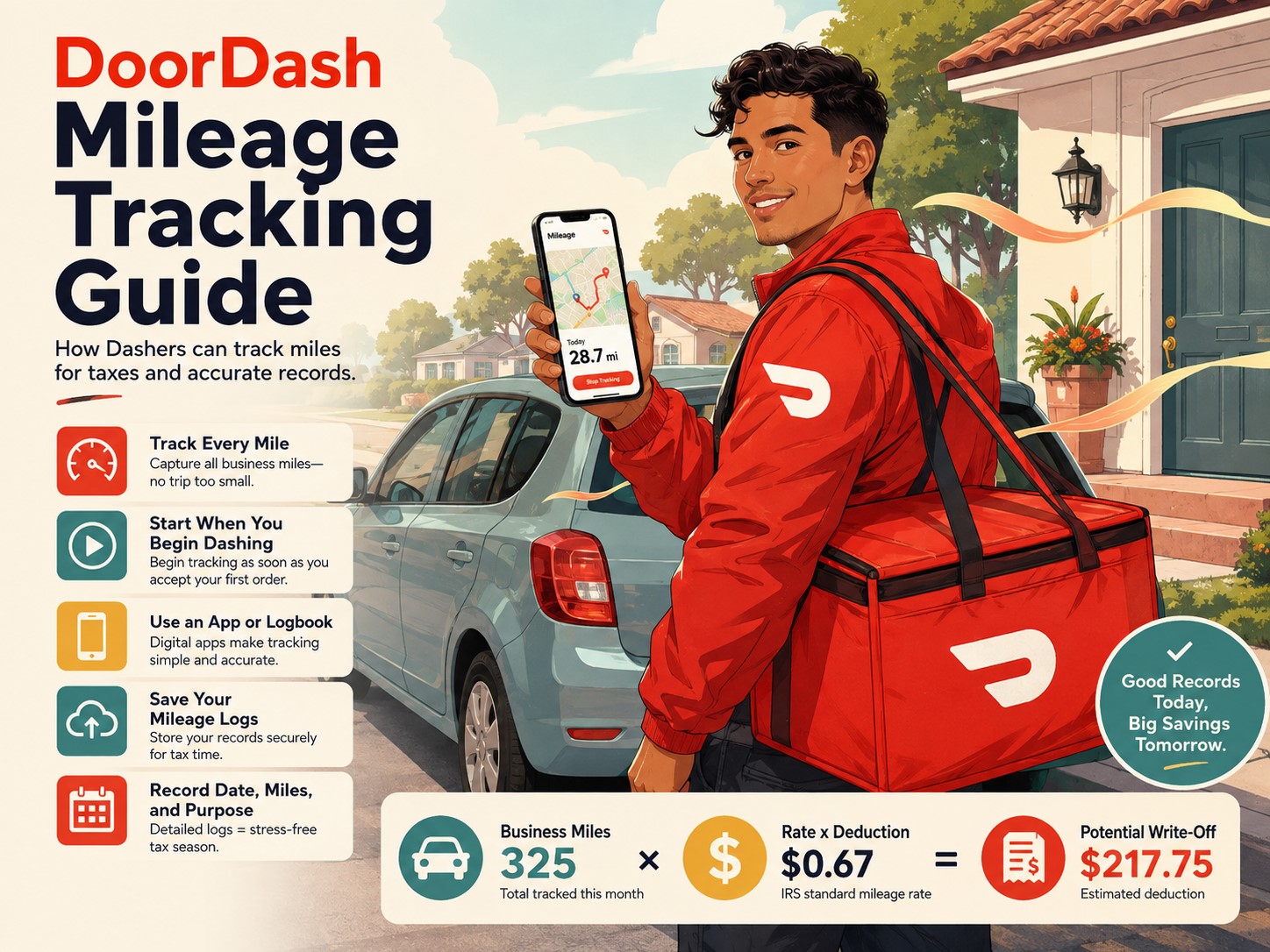
If you drive for DoorDash, mileage is one of the most important numbers you should be tracking.
Not just because gas is expensive.
Your mileage can also become one of your largest business tax deductions.
A Dasher who drives thousands of business miles during the year may qualify for a substantial deduction. But there is one catch: you need good records.
Waiting until tax season and trying to remember where you drove eight months ago is not a good strategy.
I recommend tracking your mileage from the very first day you start dashing.
And 2026 makes mileage tracking even more important because the IRS has two different business mileage rates during the year:
- 72.5 cents per business mile from January 1 through June 30, 2026
- 76 cents per business mile from July 1 through December 31, 2026
The IRS increased the business mileage rate beginning July 1, so Dashers need to know not only how many miles they drove, but also when those miles were driven.
In this guide, we will cover how DoorDash drivers can track mileage, which trips may count as business mileage, which miles generally do not count, how DoorDash’s mileage estimate works and how to create records that are actually useful when tax season arrives.
This article provides general federal tax information for US Dashers. Mileage deductions can depend on your individual circumstances, especially when commuting and home-office rules are involved, so consider consulting a qualified tax professional when you are unsure.
Why DoorDash Mileage Tracking Matters
When you drive for DoorDash, your car is one of the main tools of your business.
You may drive:
- To restaurants
- From restaurants to customers
- Between delivery areas
- Between accepted orders
- To grocery stores for Shop and Deliver
- To retail merchants
- Back toward areas where you conduct your delivery business
All of those miles add up.
The IRS allows eligible self-employed taxpayers to deduct qualifying business vehicle expenses using either the standard mileage method or actual vehicle expenses. The standard mileage method allows you to multiply qualifying business miles by the applicable IRS rate.
For many Dashers, mileage becomes one of the largest deductions on Schedule C.
But the IRS requires you to substantiate vehicle expenses with adequate records or other sufficient evidence.
In simple terms:
If you want to claim mileage, keep records showing how much you drove and why you drove it.
DoorDash Mileage Rate for 2026
There are two business mileage rates for 2026.
| Period | Business mileage rate |
|---|---|
| January 1 to June 30, 2026 | 72.5 cents per mile |
| July 1 to December 31, 2026 | 76 cents per mile |
The IRS originally set the 2026 business mileage rate at 72.5 cents per mile. It later raised the rate to 76 cents beginning July 1, 2026.
That means you should not simply take your total 2026 mileage and multiply everything by 76 cents.
You need to separate your mileage into:
First half of 2026
January 1 through June 30
and
Second half of 2026
July 1 through December 31.
DoorDash Mileage Deduction Example
Suppose you drove:
- 6,000 qualifying business miles from January through June
- 7,000 qualifying business miles from July through December
Your calculation would look like this.
January through June
6,000 × $0.725 = $4,350
July through December
7,000 × $0.76 = $5,320
Potential total standard mileage deduction
$4,350 + $5,320 = $9,670
That is a significant deduction.
But remember:
A $9,670 deduction does not mean you receive a $9,670 refund.
It generally reduces the business income used in calculating your taxes.
The actual amount of tax you save depends on your:
- Net business income
- Federal tax bracket
- Self-employment tax
- Other income
- Filing status
- Credits
- Other deductions
- State tax situation
What Does the IRS Mileage Rate Cover?
The standard mileage rate is designed to represent vehicle ownership and operating costs.
When you use the standard mileage method, you generally do not separately deduct the normal vehicle expenses already represented by that mileage rate, such as:
- Gas
- Oil
- Routine maintenance
- Tires
- Repairs
- Insurance
- Depreciation
Business-related parking fees and tolls can generally still be deducted separately. A self-employed taxpayer may also be able to deduct the business portion of vehicle-loan interest separately, subject to the applicable rules.
This is important because one of the most common DoorDash tax mistakes is trying to deduct both:
Standard mileage + all gas and normal car expenses
You generally choose between standard mileage and actual vehicle expenses for calculating those operating costs.
What Miles Count for DoorDash?
This is where mileage tracking becomes more complicated.
Not every mile you drive on a day when you DoorDash automatically becomes deductible.
The IRS distinguishes between:
- Business transportation
- Personal driving
- Commuting
Ordinary commuting between your home and your regular place of work is generally considered personal rather than deductible business transportation.
At the same time, self-employed delivery drivers can have business travel that occurs between different business locations throughout the day.
Here are several common DoorDash situations.
Driving From the Restaurant to the Customer
This is the clearest example of business mileage.
You accepted an order, drove to the merchant, picked up the customer’s food and drove to the delivery location.
That transportation is directly connected with earning DoorDash income.
Keep those miles in your business mileage records.
Driving From One Delivery to the Next
Suppose you finish one delivery and drive toward another restaurant after receiving another offer.
The trip is directly connected with your delivery business.
Business transportation between work locations can generally qualify when properly substantiated.
Record the trip rather than tracking only the portion when food is physically inside your vehicle.
Driving Between Restaurant Areas
Imagine you finish a delivery and decide to reposition from one restaurant cluster to another because you are continuing your DoorDash business.
The business purpose matters.
When the movement is legitimately part of conducting your delivery activity rather than personal driving, it may be business transportation.
Keep records showing:
- Where you drove
- Why you moved
- That you remained engaged in your delivery business
This is another reason I prefer maintaining your own mileage log instead of depending only on DoorDash’s estimate.
Driving to Buy DoorDash Supplies
Suppose you drive to a store specifically to purchase:
- A pizza bag
- A phone mount
- A drink carrier
- An insulated delivery bag
A trip made for a legitimate business purpose may qualify as business transportation.
Record the destination and purpose.
For example:
Staples — purchased mileage notebook and delivery supplies
or:
Walmart — purchased insulated delivery bag and phone charger
Having a written business purpose helps explain why the trip appears in your mileage log.
Driving to Vehicle Maintenance
Trips associated with your business vehicle can require more careful analysis, particularly because your vehicle may be used personally as well.
Do not automatically classify every trip to:
- A gas station
- Mechanic
- Tire shop
- Car wash
as 100% DoorDash mileage.
The correct treatment can depend on vehicle use and the expense method you choose.
When uncertain, keep the trip in your records with a note and let your tax professional determine how it should be treated.
Is Driving From Home to Your First DoorDash Order Deductible?
This is one of the most frequently misunderstood areas of gig-driver mileage.
You may have heard advice such as:
“Turn on DoorDash in your driveway and every mile becomes deductible.”
Tax law is not that simple.
Ordinary commuting expenses are generally nondeductible. Making a business call or conducting a minor business activity during a commute does not automatically turn that commute into business transportation.
However, a different rule can apply when your home qualifies as your principal place of business.
The IRS states that when you have a qualifying home office that serves as your principal place of business, transportation between your home and another work location in the same trade or business may be deductible.
This is why two DoorDash drivers can potentially have different answers to the same question.
Dasher A
Leaves home and drives to a normal restaurant area to begin working.
The home does not qualify as the driver’s principal place of business.
That initial drive may be treated as commuting.
Dasher B
Maintains a qualifying home office that legitimately serves as the principal place of business for administrative activities and satisfies the applicable IRS requirements.
The treatment of transportation from home to another business location may be different.
Do not assume your bedroom, couch or kitchen table automatically qualifies as a home office.
The home-office rules have separate requirements.
If a large portion of your mileage deduction depends on where your business day technically begins, this is a good question to discuss with a tax professional.
What About Driving Home After Your Last Delivery?
The same commuting issue can apply at the end of your business day.
Suppose your final delivery leaves you 15 miles from home.
Whether all 15 miles qualify as business mileage may depend on the nature of the trip and whether your home qualifies as your principal business location.
Do not simply assume:
“I was still signed into DoorDash, so every mile home is deductible.”
The Dasher app does not determine federal tax law.
Keep accurate records and classify uncertain mileage carefully.
Can You Deduct Miles While Waiting for DoorDash Orders?
Potentially, depending on what you are actually doing.
There is a difference between:
Legitimately conducting your delivery business
and
Driving around for personal reasons while the app happens to be turned on.
Suppose you finish one delivery and drive three miles to another restaurant cluster specifically to continue accepting DoorDash orders.
That has a much clearer business purpose than driving ten miles to visit a friend while leaving the Dasher app running.
Your records should support the business reason for the mileage.
Do not treat the app’s online/offline status as the sole test for deductibility.
Can You Deduct Miles Chasing a DoorDash Hotspot?
When you travel from one business delivery area to another specifically as part of conducting your delivery activity, the trip may have a business purpose.
However, you still need good records.
For example:
6:40 p.m. — moved from Northside restaurant cluster to Downtown Hotspot to continue dashing, 4.8 miles
That provides much better documentation than simply writing:
4.8 miles
Remember that moving excessively between Hotspots can hurt your actual profit even if the mileage qualifies for a deduction.
A tax deduction does not make unnecessary driving profitable.
Personal Miles Are Not DoorDash Miles
Do not classify a trip as business mileage simply because it happened during your dash.
For example, you finish an order and then:
- Drive to your friend’s house
- Pick up your child from school
- Go grocery shopping for your family
- Drive to the gym
- Visit a restaurant for your own dinner
Those are generally personal activities.
If you later resume DoorDash, start properly tracking business mileage again when appropriate.
Separating business and personal mileage is one of the reasons your log should include a business purpose rather than only an odometer reading.
DoorDash Mileage Tracking Example
Here is what a simple evening could look like.
4:45 p.m.
Start business activity.
Odometer: 54,100
5:00 p.m.
Accept first order.
Drive to restaurant and customer.
5:35 p.m.
Complete delivery.
5:40 p.m.
Drive toward another restaurant cluster while continuing to dash.
5:50 p.m.
Receive second offer.
6:20 p.m.
Complete delivery.
6:25 p.m.
Accept third delivery nearby.
7:05 p.m.
Complete delivery.
7:10 p.m.
Pause DoorDash and drive to visit a friend.
That portion becomes personal.
8:00 p.m.
Resume DoorDash from a nearby restaurant area.
Continue tracking eligible business activity.
9:30 p.m.
Complete final delivery.
Review whether the trip home is business or commuting based on your circumstances.
This level of awareness is much better than simply looking at your car at midnight and trying to guess which miles were business-related.
What Should a DoorDash Mileage Log Include?
IRS Publication 463 explains that transportation records should document items such as:
- Mileage for each business use
- Total mileage for the year
- Date of use
- Business destination
- Business purpose
The IRS also requires taxpayers claiming vehicle deductions to have evidence supporting the business use of the car.
A practical DoorDash mileage log can contain:
- Date
- Starting odometer
- Ending odometer
- Business miles
- Delivery area
- Business purpose
- Notes
Sample DoorDash Mileage Log
| Date | Start | End | Business miles | Business purpose |
|---|---|---|---|---|
| July 10 | 54,100 | 54,168 | 68 | DoorDash deliveries |
| July 11 | 54,190 | 54,247 | 57 | DoorDash deliveries |
| July 12 | 54,280 | 54,292 | 12 | Purchased delivery equipment |
| July 13 | 54,310 | 54,386 | 76 | DoorDash deliveries |
For 2026, the date is especially important because you need to know which miles qualify for the 72.5-cent rate and which qualify for 76 cents.
Four Ways to Track DoorDash Mileage
There is no rule saying every Dasher must use the same mileage-tracking system.
Choose the method you will actually maintain consistently.
1. Mileage-Tracking App
This is probably the easiest method for many drivers.
A mileage app can automatically detect trips using your phone’s location services.
Depending on the app, you may be able to classify trips as:
- Business
- Personal
- DoorDash
- Uber Eats
- Other gig work
Advantages
- Automatic tracking
- Easy trip classification
- Monthly reports
- Less manual work
- Easy export for tax preparation
Disadvantages
- Subscription fees
- Battery usage
- GPS errors
- Missed trips
- Incorrect automatic classifications
- Privacy considerations
Do not install an app and then completely ignore it.
Review your trips regularly.
Automatic software can make mistakes.
2. Spreadsheet
A spreadsheet gives you more control.
Create columns for:
- Date
- Start mileage
- End mileage
- Business miles
- Personal miles
- Zone
- Purpose
- Earnings
- Notes
One benefit is that you can track profitability at the same time.
For example:
| Date | Earnings | Business miles | Earnings per mile |
|---|---|---|---|
| July 5 | $125 | 70 | $1.79 |
| July 6 | $100 | 95 | $1.05 |
| July 7 | $140 | 75 | $1.87 |
Now mileage is helping you with both:
- Taxes
- Business decisions
You may discover that one zone creates far more driving for the same income.
3. Written Mileage Log
Old-fashioned still works.
Keep a notebook in your vehicle.
Before starting:
Date: August 3
Starting odometer: 61,205
When finished:
Ending odometer: 61,273
Business miles: 68
Purpose: DoorDash deliveries
A paper log is simple and does not depend on GPS.
The disadvantage is that you have to remember to write everything down.
4. Odometer Photos
Some drivers photograph their dashboard at the beginning and end of a dash.
This can supplement another log.
For example:
- Take a photo before beginning.
- Take another photo when ending business driving.
- Enter the difference into your spreadsheet.
- Save the photos in a monthly mileage folder.
A photograph alone may not explain the business purpose, so combine it with written records.
My Preferred Mileage-Tracking Method
For most Dashers, I recommend using two layers of records.
Primary record
Use either:
- A mileage app, or
- A spreadsheet
Backup
Keep:
- Odometer photos
- DoorDash earnings statements
- DoorDash mileage estimates
- Calendar entries
- Delivery-history information
You may never need the backup.
But if your mileage app loses data or your phone stops working, you will be glad that you have additional evidence.
Track Total Vehicle Mileage Too
Do not track only business mileage.
IRS vehicle reporting can require information about:
- Total miles
- Business miles
- Commuting miles
- Other personal miles
- Business-use percentage
Publication 463 specifically discusses total, business, commuting and other mileage when substantiating vehicle use.
An easy method is to record your vehicle’s odometer:
January 1
and
December 31
For example:
January 1 odometer:
40,000
December 31 odometer:
58,000
Total annual mileage:
18,000
Suppose your mileage log shows:
12,000 business miles
That means approximately:
6,000 miles were commuting or other personal use.
Your business-use percentage would be approximately:
12,000 ÷ 18,000 = 66.7%
That percentage can become particularly important if you use the actual vehicle-expense method.
DoorDash Mileage Estimate
DoorDash provides eligible drivers with an annual mileage estimate.
DoorDash currently says it sends mileage estimate emails by January 31 to US and Canadian Dashers who were active during the year, dashed by car and had on-delivery mileage.
For your 2026 DoorDash activity, you would therefore generally expect the applicable estimate by January 31, 2027, if you meet those conditions.
This can be useful when preparing your taxes.
However, pay attention to the wording:
Mileage estimate
and
on-delivery mileage
The DoorDash number may not necessarily represent every business mile you could potentially qualify to deduct.
That is why DoorDash itself encourages Dashers to maintain mileage information and also reminds drivers that it does not provide individual tax advice.
Should You Use DoorDash’s Mileage Estimate for Taxes?
You can use it as one source of information.
But I would not make it my only mileage record.
Suppose DoorDash shows:
8,500 estimated miles
But your detailed business mileage log shows:
11,200 documented qualifying miles
The difference could come from legitimate business driving DoorDash did not include in its on-delivery estimate.
On the other hand, your personal app could also incorrectly classify some private trips as business.
The solution is not automatically choosing whichever number produces the biggest deduction.
The solution is maintaining accurate records and using the mileage you can legitimately support.
DoorDash Mileage vs. Google Maps Timeline
Some Dashers use Google Maps location history or similar GPS records as a backup.
This can be helpful when trying to confirm:
- Restaurants visited
- Customer areas
- Approximate routes
- Dates
- Distances
However, location history is not always perfect.
It may:
- Miss locations
- Combine trips
- Estimate routes incorrectly
- Be unavailable when location tracking was disabled
Use GPS history as supporting evidence rather than relying on it as your only bookkeeping system.
What If You Forgot to Track DoorDash Mileage?
This happens to many new Dashers.
Maybe you worked for six months before realizing mileage mattered.
Do not simply invent a number.
Instead, try to reconstruct your records using genuine evidence.
Useful sources may include:
- DoorDash mileage estimate
- DoorDash earnings history
- Monthly earnings statements
- Personal calendar
- GPS location history
- Odometer photographs
- Vehicle maintenance invoices
- Oil-change records
- Tire-service records
- Bank statements
- Gas records
- Delivery screenshots
- Other gig-app records
IRS guidance recognizes that records may sometimes need to be reconstructed when adequate documentation is unavailable because of circumstances, but the goal should still be to provide the best available evidence rather than create unsupported estimates.
Once you reconstruct what you reasonably can, start maintaining proper records immediately.
Do Not Estimate Your Mileage Based on Earnings
Avoid formulas such as:
“I earned $20,000, so I probably drove 20,000 miles.”
or:
“I usually make $1 per mile, so my mileage must be the same as my earnings.”
That is not reliable documentation.
Some DoorDash orders pay:
- $0.80 per mile
- $1.50 per mile
- $2 per mile
- $3 per mile or more
Your dead miles and repositioning also vary.
Mileage should come from actual records rather than a made-up earnings ratio.
What If You Drive for DoorDash and Uber Eats?
Track all legitimate business mileage.
You do not necessarily need a separate odometer for every delivery platform.
However, it is useful to classify trips by business when practical.
For example:
| Date | Miles | Platform/Purpose |
|---|---|---|
| July 14 | 42 | DoorDash |
| July 14 | 18 | Uber Eats |
| July 14 | 6 | Repositioning for delivery work |
This can help you understand which app creates more mileage.
The important tax issue is avoiding duplicate deductions.
You cannot claim the same 10 miles once for DoorDash and then claim the same 10 miles again for Uber Eats.
One vehicle mile is still one vehicle mile.
Multi-App Mileage Can Get Complicated
Suppose you are logged into:
- DoorDash
- Uber Eats
- Grubhub
You accept a DoorDash delivery and pause the other apps.
Those miles clearly relate to DoorDash.
But when you finish, all three apps are active while you reposition.
For tax purposes, the trip may still be related to your overall delivery business even though it cannot be assigned neatly to one platform.
Keep a category such as:
Gig-delivery business mileage
You do not need to artificially assign every single mile to a specific company if your business activities are being reported together and your tax treatment supports that approach.
Ask your tax preparer how your multiple gig activities should be organized on Schedule C.
Track Mileage Even If You Think You Will Use Actual Expenses
Do not stop tracking mileage simply because you plan to deduct:
- Gas
- Insurance
- Repairs
- Tires
- Depreciation
You still need mileage.
Why?
Because when your vehicle has both business and personal use, mileage is commonly used to calculate your business-use percentage.
IRS guidance says mixed business and personal vehicle expenses must be divided, and mileage can be used to calculate that allocation.
For example:
Total annual mileage:
20,000
Business mileage:
12,000
Business percentage:
60%
If your eligible actual car expenses totaled $10,000, a simplified business allocation could begin around:
$10,000 × 60% = $6,000
Additional rules may apply.
So mileage records matter whether you use:
- Standard mileage
- Actual vehicle expenses
Mileage Tracking Helps You Calculate Real DoorDash Profit
Mileage should not be tracked only for taxes.
It is also one of the best ways to determine whether DoorDash is actually profitable.
Consider two shifts.
Shift A
Gross earnings:
$120
Miles driven:
55
Gross earnings per mile:
$2.18
Shift B
Gross earnings:
$140
Miles driven:
120
Gross earnings per mile:
$1.17
At first glance, Shift B looks better because you earned $20 more.
But you drove 65 additional miles.
Those miles create additional:
- Fuel consumption
- Tire wear
- Oil changes
- Repairs
- Depreciation
- Future vehicle replacement costs
Shift A may actually have been the stronger business day.
Track Earnings Per Mile
A simple formula is:
Gross earnings ÷ business miles = gross earnings per mile
For example:
$150 ÷ 80 miles = $1.88 per mile
Track this number over several weeks.
You may notice:
- Dinner produces better earnings per mile than lunch.
- One zone sends you too far into rural areas.
- Shop and Deliver generates fewer miles.
- Earn by Time creates more long-distance orders.
- Weekend deliveries are more efficient.
- One restaurant cluster produces excellent short trips.
This information can help you make better acceptance decisions.
Mileage Can Reveal the True Cost of a Long Order
Suppose you receive:
$15 for 10 miles
That appears to be:
$1.50 per mile
But the order ends in an area with no restaurants.
You drive eight miles back before receiving another order.
Your actual driving connected with that decision may be closer to:
18 miles
Now the gross return is:
$15 ÷ 18 = $0.83 per mile
This is why experienced Dashers consider return mileage before accepting long-distance deliveries.
Tax deductions do not change that math.
Mileage Deduction Does Not Make Bad Orders Good
This mistake is worth repeating.
Suppose you accept a terrible order and drive 20 unnecessary miles.
You might think:
“At least I can deduct the mileage.”
But you still:
- Bought fuel
- Used your tires
- Added depreciation
- Spent your time
- Added mileage to the vehicle
The deduction simply reduces taxable income.
It does not reimburse your actual cost dollar for dollar.
Do not drive unnecessary miles just for a larger deduction.
A profitable business generally wants:
More revenue with fewer expenses
not:
More expenses just to reduce taxes.
How Often Should You Review Your Mileage?
I recommend reviewing it at least once a week.
A weekly routine might be:
Sunday evening
- Open your mileage app.
- Review every trip.
- Change incorrect classifications.
- Add missing business purposes.
- Compare the mileage with your DoorDash activity.
- Record weekly earnings.
- Calculate earnings per mile.
- Back up your data.
This may take only ten minutes when done regularly.
Waiting an entire year makes the process much harder.
Monthly Mileage Review
At the end of each month, record:
- Total DoorDash earnings
- Total business mileage
- Total dash hours
- Earnings per mile
- Earnings per total hour
- Fuel spending
- Other vehicle costs
For example:
August
Gross DoorDash earnings:
$2,200
Business mileage:
1,300
Gross earnings per mile:
$1.69
Total dash time:
105 hours
Gross earnings per hour:
$20.95
This gives you a much more useful picture of your business than looking at a single weekly Earnings screenshot.
How to Handle the July 1, 2026 Mileage Rate Change
Because the IRS changed the mileage rate in the middle of 2026, separate the two periods clearly.
Create two categories:
January 1 through June 30
Business mileage × $0.725
July 1 through December 31
Business mileage × $0.76
For example:
| Period | Miles | Rate | Deduction |
|---|---|---|---|
| Jan.–June | 8,000 | $0.725 | $5,800 |
| July–Dec. | 9,000 | $0.76 | $6,840 |
| Total | 17,000 | $12,640 |
The official IRS mileage table confirms both 2026 rates.
Do not use the 76-cent rate retroactively for January through June.
Mileage Tracking for California Dashers
California Dashers may also see mileage-related amounts connected to Proposition 22 earnings calculations.
Do not confuse those payments with your federal tax mileage records.
DoorDash itself recommends that California Dashers continue tracking total mileage for tax-deduction purposes.
The mileage used for:
DoorDash pay calculations
and
federal tax deductions
can serve different purposes and may not necessarily be identical.
Keep your own business records.
Does DoorDash Reimburse Mileage?
DoorDash’s normal earnings model does not mean every Dasher receives reimbursement at the IRS standard mileage rate.
The IRS mileage rate is a tax deduction rate, not the standard amount DoorDash pays you for driving.
Some jurisdictions or DoorDash programs may have mileage-related compensation, but that is separate from the federal standard mileage deduction.
Do not look at the IRS’s 76-cent figure and assume DoorDash owes you 76 cents for every mile.
IRS Mileage Rate vs. Your Actual Cost Per Mile
Another useful number is your actual vehicle operating cost.
Suppose you drove 20,000 total miles during the year and spent:
- Gas: $3,000
- Insurance: $1,800
- Maintenance: $1,000
- Repairs: $800
- Tires: $700
- Registration: $250
- Estimated depreciation: $3,000
Total:
$10,550
Divide that by 20,000 miles:
$10,550 ÷ 20,000 = $0.53 per mile
Your actual cost in this simplified example is approximately 53 cents per mile.
This number can help you evaluate DoorDash offers.
Your tax mileage rate and real operating cost are different concepts.
Should You Track Gas If You Use Standard Mileage?
For tax calculation purposes, gas is generally already represented in the standard mileage rate.
But I still recommend tracking fuel expenses for business analysis.
Why?
Because you should know:
- How much gas you buy
- Your vehicle’s fuel efficiency
- Whether gas prices are hurting profitability
- How much your car actually costs to operate
You may decide to use standard mileage on your tax return while still keeping fuel receipts for your own financial records.
Keep Mileage Records Even After Filing Your Taxes
Do not delete your mileage app data immediately after filing.
Keep the records supporting your deductions for the appropriate tax-record retention period.
Vehicle records can also become important when:
- You switch deduction methods
- You sell the vehicle
- You calculate depreciation
- You change business-use percentages
- The IRS asks questions about a prior return
IRS Publication 463 contains specific recordkeeping requirements for car expenses and business use.
Back up your mileage data somewhere other than your phone.
DoorDash Mileage Tracking Checklist
Before your first dash:
- Record your odometer
- Choose a mileage-tracking method
- Enable required GPS permissions
- Create a business-mileage category
During your dash:
- Track qualifying business transportation
- Separate personal trips
- Record unusual business trips
- Note tolls and business parking
After your dash:
- Record the ending odometer
- Review automatically tracked trips
- Correct classifications
- Add business purposes where needed
- Record earnings
Every week:
- Compare mileage with DoorDash activity
- Calculate earnings per mile
- Back up your records
Every month:
- Record total business mileage
- Download earnings statements
- Review actual vehicle expenses
- Compare zones and schedules
For 2026:
- Separate January through June mileage
- Separate July through December mileage
- Apply the correct IRS rates
At tax time:
- Download DoorDash’s mileage estimate
- Compare it with your records
- Determine qualifying mileage
- Choose standard mileage or actual expenses when eligible
- Keep supporting documentation
Common DoorDash Mileage Mistakes
1. Starting to Track Only at Tax Time
By then, remembering thousands of miles accurately may be impossible.
Start immediately.
2. Using DoorDash’s Estimate as Your Only Record
DoorDash says its annual email provides an estimate of on-delivery mileage to eligible Dashers. Your complete qualifying business mileage may differ.
3. Counting Every Mile as Business Mileage
Personal driving and ordinary commuting are generally different from business transportation.
4. Assuming Being Online Makes Every Mile Deductible
Your app status does not decide whether a trip has a legitimate business purpose.
5. Forgetting Return Miles
A delivery can send you away from your restaurant zone.
Keep accurate records of legitimate business repositioning.
6. Double-Counting Multi-App Miles
Do not deduct the same mile twice.
7. Claiming Standard Mileage and Gas
Standard mileage already represents normal operating costs.
8. Ignoring Total Vehicle Mileage
You may need total annual mileage to determine business-use percentage and support vehicle reporting.
9. Forgetting the Midyear 2026 Rate Change
January through June uses 72.5 cents.
July through December uses 76 cents.
10. Driving More Just for a Bigger Deduction
A deduction does not make unnecessary mileage profitable.
Frequently Asked Questions
How much can DoorDash drivers deduct per mile in 2026?
The IRS business mileage rate is 72.5 cents per mile from January 1 through June 30, 2026, and 76 cents per mile from July 1 through December 31, 2026.
Does DoorDash track mileage?
DoorDash says it sends annual mileage estimate emails by January 31 to eligible US and Canadian Dashers who dashed by car and had on-delivery mileage.
Is the DoorDash mileage estimate enough for taxes?
It can be useful supporting information, but maintaining your own mileage records is better because DoorDash describes the number as an estimate of on-delivery mileage.
Where can I find my DoorDash mileage?
DoorDash currently says eligible drivers receive the annual mileage estimate by email by January 31.
Do I need to track mileage every day?
Consistent contemporaneous records are strongly preferable.
IRS rules require adequate records or other sufficient evidence supporting business vehicle expenses.
Can I deduct mileage from my house to the first restaurant?
Not automatically.
Ordinary commuting is generally nondeductible. Different transportation rules may apply when your home qualifies as your principal place of business.
Can I deduct the drive home after DoorDash?
It depends on the circumstances.
Ordinary commuting is generally personal, while transportation between qualifying business locations may be deductible. The answer can depend partly on whether your home qualifies as your principal place of business.
Can I deduct miles between DoorDash orders?
Mileage legitimately incurred while conducting your delivery business may qualify. Keep records showing the business purpose rather than assuming every mile driven while online is deductible.
Can I deduct mileage while driving to a Hotspot?
Potentially, when the trip represents legitimate business transportation while continuing your delivery business.
Document the purpose and destination.
Can I deduct gas and mileage?
You generally do not deduct all of your gas in addition to standard mileage because the mileage rate represents normal vehicle operating costs.
You can instead consider the actual vehicle-expense method when eligible.
Can I deduct tolls in addition to mileage?
Yes. The IRS says qualifying business tolls can generally be deducted in addition to the standard mileage rate.
Can I deduct business parking in addition to mileage?
Yes. Qualifying business parking may generally be deducted separately. Parking associated with ordinary commuting is treated differently.
Do I need odometer readings?
Keeping odometer readings is highly useful because IRS vehicle records can involve total mileage, business mileage, commuting mileage and personal mileage.
Can I use a spreadsheet for mileage?
Yes, provided your records adequately document the required information and support the business use.
Can I use a mileage-tracking app?
Yes. Mileage apps can make tracking easier, but you should review the classifications for accuracy.
You remain responsible for the tax return even when software tracks the trips.
What if my mileage app missed a trip?
Add the legitimate trip manually when you have adequate supporting information.
Do not create unsupported mileage.
What if I forgot to track mileage all year?
Reconstruct the most accurate record possible using genuine evidence such as DoorDash records, mileage estimates, GPS history, earnings statements, odometer records and vehicle-service documents.
Do not simply invent a number.
Can I use Google Maps to reconstruct DoorDash mileage?
Location history can provide useful supporting information, but it may not contain every trip or perfectly reproduce the route.
Use it together with other records.
Should I track mileage if I plan to deduct actual car expenses?
Yes.
If your vehicle has both personal and business use, mileage can be used to determine the percentage of business use.
Can I deduct DoorDash mileage if I use more than one delivery app?
Qualifying business mileage can still be deductible.
Avoid claiming the same miles twice for different platforms.
Is the IRS mileage rate what DoorDash pays drivers?
No.
The IRS standard mileage rate is used for federal tax purposes. It is not a nationwide DoorDash reimbursement rate.
Does mileage reduce self-employment tax?
A legitimate Schedule C vehicle deduction can reduce net business profit, which can in turn affect the amount used in calculating self-employment tax.
The exact tax effect depends on your return.
Does tracking mileage really make a big difference?
It can.
For example, 10,000 eligible business miles driven entirely during the second half of 2026 would represent a potential standard mileage deduction of:
10,000 × $0.76 = $7,600
That is why mileage is worth tracking carefully.

Final Thoughts
If you drive for DoorDash, start tracking your mileage now.
Do not wait until tax season.
Do not assume DoorDash will automatically give you every mile you need.
And do not assume every mile driven while the Dasher app is running is automatically deductible.
A good mileage system should tell you:
- When you drove
- How far you drove
- Where you went
- Why the trip was business-related
- How much total mileage your vehicle accumulated
For 2026, remember the two important numbers:
72.5 cents per business mile from January through June
and
76 cents per business mile from July through December.
Your DoorDash mileage records also serve another important purpose.
They tell you whether you are actually making money.
If you earn $150 but drive 150 miles, that is a very different shift from earning $150 while driving 60 miles.
So do not think of mileage tracking as something you do only for the IRS.
Use it to understand your business.
Track your miles. Track your earnings. Compare your zones. Watch your return trips. Reduce unnecessary driving.
The fewer miles you need to drive to produce the same amount of income, the more efficient your DoorDash business can become.
And when tax season arrives, you will already have the records you need instead of trying to recreate an entire year from memory.
