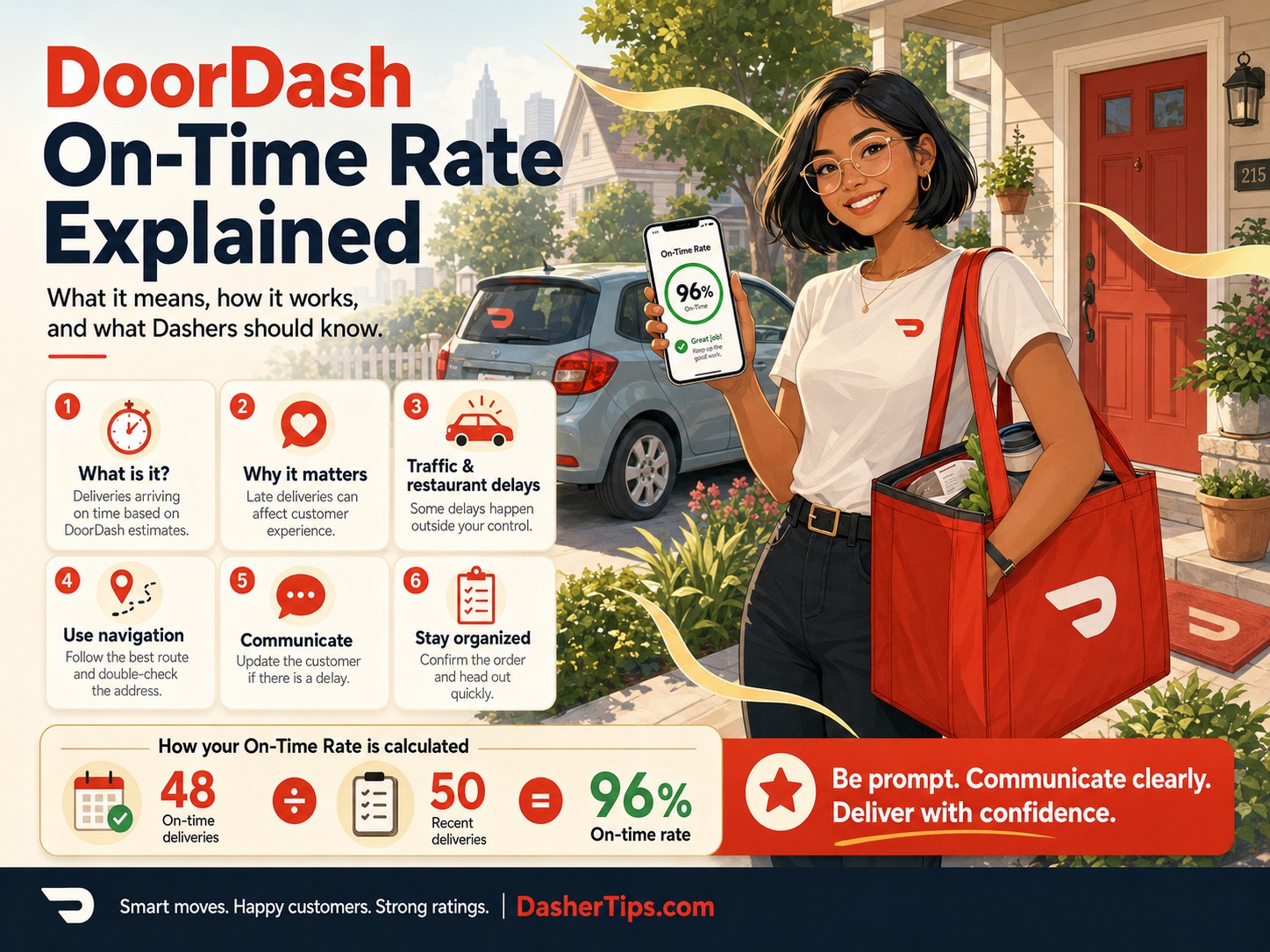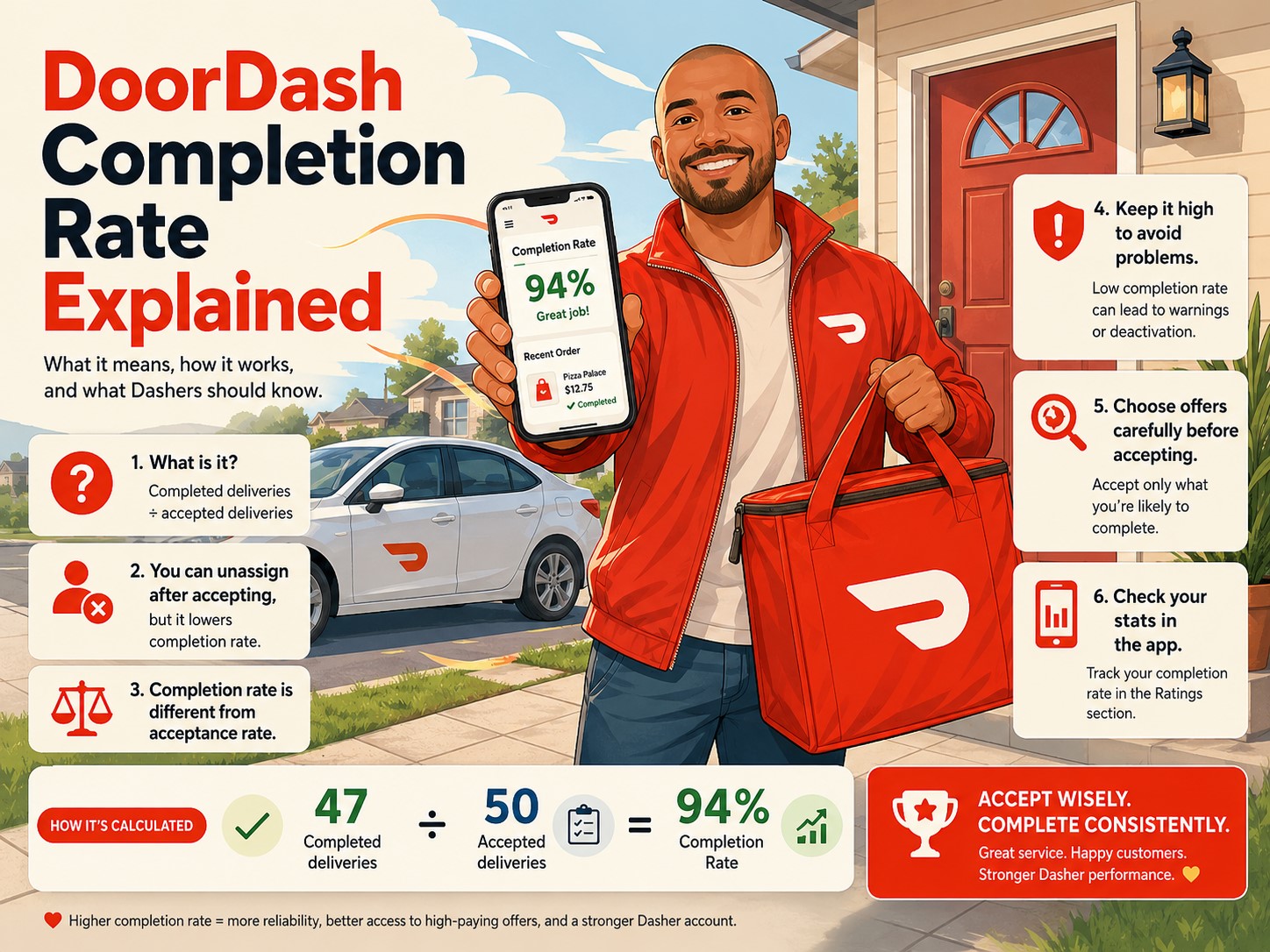
DoorDash has several ratings that Dashers need to watch, but Completion Rate is one of the most important.
Unlike Acceptance Rate, which currently has no platform-wide minimum requirement, DoorDash requires Dashers to maintain at least a 90% Completion Rate to remain active on the platform. DoorDash also warns that falling below 90% could result in account deactivation.
That means Completion Rate is not a rating you should casually ignore.
The good news is that keeping it high is usually straightforward:
Be careful about the orders you accept, and complete the orders you decide to take.
The confusing part comes when you need to unassign an order.
Maybe the restaurant tells you the food will take another 40 minutes. Maybe you accidentally accepted a delivery going somewhere you cannot reasonably reach. Maybe an emergency comes up. Or perhaps the app gives you the option for a worry-free unassign.
All of these situations can affect Completion Rate differently.
Another common frustration happens when Dashers complete several deliveries in a row but their Completion Rate refuses to increase.
Just like Acceptance Rate, DoorDash uses a rolling last-100 system, so your percentage does not necessarily increase every time you finish another order.
In this guide, I will explain how DoorDash Completion Rate works in 2026, what causes it to drop, how unassignments affect it, what a worry-free unassign means, how to raise a low Completion Rate and what to do when you are getting dangerously close to the 90% minimum.
What Is DoorDash Completion Rate?
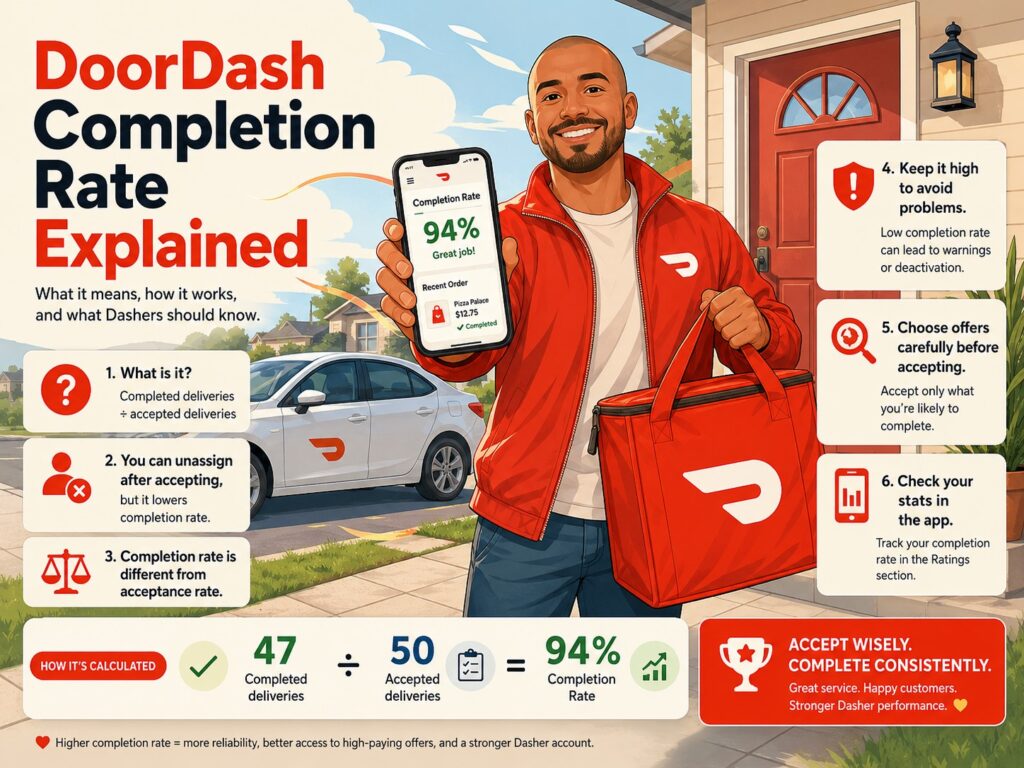
Your DoorDash Completion Rate measures the percentage of accepted offers that you actually finish.
DoorDash currently calculates the rating using your last 100 accepted offers.
For example, suppose your last 100 accepted orders include:
- 96 completed deliveries
- 4 unassigned deliveries
Your Completion Rate would be:
96%
If you completed:
- 92 orders
- Unassigned 8
Your Completion Rate would be:
92%
If you completed:
- 89 orders
- Unassigned 11
Your Completion Rate would be:
89%
And that last example creates a serious problem because DoorDash’s current minimum is 90%.
What Is the Minimum DoorDash Completion Rate in 2026?
DoorDash currently requires a minimum Completion Rate of:
90%
DoorDash’s official ratings guide says Dashers need to maintain at least 90% Completion Rate to stay active. The app may also notify you that Completion Rates below 90% could result in deactivation.
This is very different from Acceptance Rate.
DoorDash currently lists:
- Customer Rating minimum: 4.2
- Completion Rate minimum: 90%
- Acceptance Rate minimum: None
So if you receive an order that you already know you do not want, it is generally better to evaluate it before tapping Accept.
Declining can lower Acceptance Rate.
Accepting and then unassigning can lower Completion Rate.
And Completion Rate has the much more important platform minimum.
Can DoorDash Deactivate You for a Low Completion Rate?
Yes.
DoorDash says that Completion Rates below 90% could result in account deactivation and instructs Dashers to maintain at least 90% to stay active.
That does not mean you should panic because one unassignment moves you from 98% to 97%.
But when your rating begins approaching:
- 93%
- 92%
- 91%
- 90%
you should become much more cautious about accepting orders you may not finish.
At 90%, you do not have much room for another ordinary unassignment.
How Is DoorDash Completion Rate Calculated?
The calculation is based on your most recent accepted offers.
A simplified formula is:
Completed accepted orders ÷ accepted orders in the rating window × 100
Once you have at least 100 accepted orders in the calculation, DoorDash uses your most recent 100.
So if you completed 95 of your last 100 accepted orders:
95 ÷ 100 × 100 = 95%
DoorDash says that after you pass 100 lifetime orders, each additional order can have a maximum impact of about one percentage point because the rating uses a rolling set of 100 accepted offers.
How the Rolling 100 Completion Rate Works
This is the part that confuses many Dashers.
Every time you accept a new offer, one older accepted offer eventually drops out of the last-100 calculation.
Think of your Completion Rate history as a line containing exactly 100 accepted orders.
When a new accepted order enters the front, the oldest accepted order leaves the back.
Your rate changes depending on whether the new and old orders were:
- Completed
- Unassigned
- Excluded
DoorDash explains that if your newest accepted order is completed while the oldest accepted order was not completed, your rating increases. If your newest accepted order is not completed while the oldest was completed, your rating decreases.
Why Isn’t My DoorDash Completion Rate Going Up?
This is one of the most common questions.
Imagine your Completion Rate is:
95%
You complete another order.
You expect:
96%
But your app still shows:
95%
Why?
Because your newly completed order may have replaced an older completed order.
Before
Your last 100 accepted orders contain:
- 95 completed
- 5 unassigned
Completion Rate:
95%
You complete another order
A completed order from 100 accepted offers ago drops off.
A new completed order enters.
You still have:
- 95 completed
- 5 unassigned
Completion Rate:
95%
Nothing changes.
Now suppose you complete another order, but this time the oldest order leaving the calculation was an unassignment.
You now have:
- 96 completed
- 4 unassigned
Completion Rate:
96%
That is why you may need to complete several orders before seeing your rating move.
DoorDash specifically says it may take several completed orders before Completion Rate improves because of the rolling calculation.
How Long Does an Unassignment Stay on Your Completion Rate?
Potentially until 100 newer accepted offers have pushed it completely out of the rolling calculation.
Imagine you unassign an order today.
That unassignment remains somewhere inside your last-100 history.
It will eventually move toward the oldest position as you continue accepting new orders.
When you have accepted enough newer offers, that unassignment finally rolls out.
You do not necessarily need exactly 100 completed deliveries for your score to increase because other older unassignments may roll out sooner.
But an individual event can remain within the rolling window for up to 100 newer accepted offers.
Does Declining a DoorDash Order Lower Completion Rate?
No.
Declining an offer affects Acceptance Rate, not Completion Rate.
Completion Rate applies after you accept the offer.
For example:
You receive:
$5 for 12 miles.
Option 1: Decline it
Possible effect:
- Acceptance Rate decreases
- Completion Rate unaffected
Option 2: Accept it and then unassign
Possible effect:
- Completion Rate decreases
This is why you should review an offer carefully before accepting it.
DoorDash specifically notes that drivers can decline an offer instead of accepting and later unassigning when they want to avoid affecting Completion Rate.
What Is an Unassignment?
Unassigning means you accepted an order but later removed yourself from completing it.
The order then becomes available for another Dasher or is otherwise handled by DoorDash.
Common reasons include:
- Restaurant taking too long
- Accidentally accepting the offer
- Realizing the destination does not work for you
- Vehicle problem
- Personal emergency
- Safety concern
- Merchant issue
- App problem
Before pickup, DoorDash allows Dashers to unassign through the Help options inside the app. DoorDash currently labels the normal option Unassign with No Pay.
How to Unassign a DoorDash Order
When you have not yet marked the order picked up, DoorDash says you can normally complete the unassignment inside the Dasher app without contacting Support.
The exact wording can vary slightly by phone and order type, but the process generally looks like:
- Open the active order.
- Tap Help or the question-mark icon.
- Select the option that best describes the problem.
- Choose Unassign with No Pay when available.
- Confirm the unassignment.
DoorDash says Dashers who already marked an order as picked up cannot normally unassign it directly through the app and instead need to contact Support.
Do not mark an order as picked up until you actually have the order.
Does Unassigning Lower Completion Rate?
Usually, yes.
DoorDash says that when you unassign from an accepted offer, whether you do it yourself or Support does it for you, it can affect your Completion Rate unless the unassignment is specifically marked as worry-free.
This is important because some Dashers assume:
“If I call Support and make them unassign me, my rating won’t drop.”
That is not necessarily true.
DoorDash explicitly says that even a Support-assisted unassignment may affect Completion Rate.
Always check what the app or Support tells you before assuming the order will be excluded.
What Is a Worry-Free Unassign?
A worry-free unassign is an unassignment that DoorDash has determined should not negatively affect your ratings.
DoorDash’s current ratings policy says an unassignment does not affect Completion Rate when it is marked as worry-free in the app.
In selected areas, the detailed Completion Rate screen can also identify excluded orders that were removed from the calculation because the problem was outside your control, such as certain store closures or system issues.
The important rule is:
Do not assume an unassignment is worry-free unless DoorDash actually shows or confirms that protection.
If the screen says the unassignment will affect Completion Rate, expect it to count.
Emergencies and Completion Rate
DoorDash recognizes that genuine emergencies happen.
Its ratings guidance says that when you attempt to complete an accepted order but are unable to do so because of circumstances outside your control, such as an emergency, DoorDash may excuse the unassignment.
If you experience:
- Vehicle accident
- Sudden medical problem
- Serious vehicle breakdown
- Dangerous situation
- Another genuine emergency
use the appropriate in-app Help or Safety option.
Document what happened when possible.
Do not simply choose a random unassignment reason and assume the system will automatically exclude it.
Safety Problems and Completion Rate
Safety should always come before your ratings.
DoorDash has a SafeChat feature that can detect potentially offensive customer communication and allow Dashers to report the customer and unassign or cancel the order. When that specific safety feature is used, DoorDash says the action does not affect Dasher ratings.
For example, if a customer sends threatening or abusive messages, the app may offer a safety-related unassignment.
DoorDash says using that feature can:
- Close the order and chat
- Prevent further customer contact
- Prevent future matching with that customer
- Leave your Dasher ratings unaffected
If you ever feel physically unsafe, ratings should not be your first concern.
Use the Safety tools in the app and contact emergency services when appropriate.
What If the Restaurant Is Taking Too Long?
This is one of the most common reasons Dashers want to unassign.
Imagine accepting:
$7 for 3 miles
It looks reasonable.
You arrive and the restaurant says:
“It will be another 30 to 40 minutes.”
Now you have to decide whether waiting is worth your time.
You may be able to unassign, but unless DoorDash marks the option as worry-free or excluded, the unassignment may reduce Completion Rate.
Before unassigning, consider:
- Current payout
- Remaining delivery distance
- Expected wait
- Current Completion Rate
- Whether you have worry-free protection
- How busy your market is
- Whether you already invested significant time in the order
If your Completion Rate is 99%, one ordinary unassignment may be easier to absorb.
If you are at 90%, you need to be much more careful.
Should You Wait Forever to Protect Completion Rate?
No.
Completion Rate matters, but so does your time.
Suppose you have:
- 99% Completion Rate
- $5 order
- Restaurant predicts another 45-minute wait
- Busy dinner rush happening nearby
It may make business sense to accept a one-point reduction and move on.
Now consider:
- 90% Completion Rate
- Same order
- Ordinary unassign will count
You may decide differently because another reduction could place your account at risk.
That is why keeping Completion Rate well above the minimum gives you flexibility.
I would rather have room to deal with the occasional legitimate problem than constantly operate at exactly 90%.
Why You Should Avoid Accepting Orders You Are Unsure About
The simplest way to maintain Completion Rate is to make better decisions before accepting.
Review:
- Payout
- Mileage
- Restaurant
- Customer destination
- Number of orders
- Shopping-item count
- Expected traffic
- Time remaining in your dash
Do not tap Accept automatically and then inspect the order afterward.
The pattern:
Accept → inspect → unassign
can slowly destroy Completion Rate.
When an offer does not work for you, declining it before acceptance usually protects the more important completion metric. DoorDash’s own unassignment guidance makes this distinction clear.
Accidentally Accepted a DoorDash Order: What Should You Do?
It happens.
Maybe your phone was in your hand and you accidentally tapped Accept.
You now have several options.
If the order is reasonable
Consider completing it.
One unexpected delivery may be easier than lowering Completion Rate.
If you genuinely cannot complete it
Use the in-app unassignment process.
Understand that an ordinary unassignment may lower Completion Rate.
If there is a safety or emergency issue
Use the appropriate Safety or Help options rather than simply selecting an unrelated reason.
Never drive somewhere unsafe solely to protect one percentage point.
What Happens If the Customer Cancels?
A customer cancellation is different from you deciding to abandon an order.
DoorDash’s detailed ratings system can exclude orders affected by qualifying circumstances outside the Dasher’s control. DoorDash lists examples such as store closures and system issues among orders that may be marked excluded in the last-100 view.
Follow the instructions shown in the app.
Do not manually unassign an order when DoorDash is already processing a cancellation unless Support instructs you to do so.
The exact payment and rating treatment can depend on the situation.
What If the Store Is Closed?
Do not simply unassign because the restaurant appears closed.
Instead, use the app’s store-closed reporting process when available.
A properly reported problem outside your control may be handled differently from an ordinary voluntary unassignment.
DoorDash’s detailed Ratings experience specifically lists store closures as one example of orders that may be excused and excluded from a rating calculation.
Follow the required steps, including any requested photo.
That protects both your account and your chance of receiving any eligible compensation.
Does DoorDash Support Unassigning the Order Protect Your Rating?
Not automatically.
This misconception causes problems.
DoorDash says:
- Unassigning yourself may affect Completion Rate.
- Having Support unassign you may also affect Completion Rate.
- The exception is when the unassignment is marked worry-free or otherwise excused.
So calling Support and saying:
“Please remove me from this order.”
does not guarantee your rating stays unchanged.
Ask whether the specific resolution will affect Completion Rate when the app does not clearly show the answer.
Does Completion Rate Reset?
No normal periodic reset applies to your complete history.
Instead, Completion Rate continuously changes as older accepted orders leave your rolling last-100 window and newer accepted orders replace them.
That means a bad unassignment from several weeks ago eventually stops affecting your score after enough newer accepted offers move through the calculation.
You do not need to wait for:
- A new week
- A new month
- A new year
You need newer accepted-order history.
How to Raise DoorDash Completion Rate
There is no trick.
The main solution is:
Complete the orders you accept.
DoorDash says the best way to improve Completion Rate is to consistently complete accepted offers.
Here are practical ways to do that.
1. Stop Unassigning Unless Necessary
If your Completion Rate is low, ordinary unassignments need to become rare.
Before accepting an offer, ask:
Am I reasonably confident that I can finish this?
If the answer is no, decline it.
2. Read Offers Before Accepting
Look at:
- Mileage
- Payout
- Merchant
- Destination
- Number of orders
A few seconds of careful review can prevent an unnecessary unassignment.
3. Know Which Restaurants Cause Problems
If a merchant consistently has 30-minute waits, think carefully before accepting low-paying orders there.
Your knowledge of local restaurants becomes one of your best Completion Rate protections.
4. Keep Enough Gas in Your Vehicle
Do not accept an order with five miles of range left.
Refuel before the rush.
5. Keep Your Phone Charged
A dying phone can create serious delivery problems.
Carry:
- Car charger
- Charging cable
- Power bank
6. Maintain Your Vehicle
A preventable vehicle breakdown can force you off an accepted delivery.
Pay attention to:
- Tires
- Oil
- Battery
- Brakes
- Fuel
- Warning lights
7. Pause Before You Need a Break
If you need to:
- Eat
- Use the restroom
- Make a call
- Go home
- Pick someone up
pause before accepting another order.
8. Check Your Schedule
Do not accept a long delivery five minutes before you absolutely need to leave for another commitment.
9. Use Worry-Free Options When DoorDash Offers Them
When the app explicitly tells you an unassignment will not affect Completion Rate, follow that process instead of selecting a standard unassign option.
10. Complete Enough New Orders
Because Completion Rate is rolling, you may need a significant number of completed accepted offers before older unassignments drop away.
Be patient.
How Many Orders Does It Take to Raise Completion Rate?
There is no fixed number.
Suppose your Completion Rate is 92%.
Your last 100 accepted orders contain:
- 92 completed
- 8 unassigned
You complete five more deliveries.
If all five replace old completed orders:
Your rating remains:
92%
Then you complete another order that replaces one of the older unassignments.
Now your rate becomes:
93%
The number of new deliveries required depends on where your older unassignments currently sit inside the rolling 100.
In selected markets, DoorDash now allows Dashers to tap Completion Rate and view exactly which of their last 100 accepted orders were completed, unassigned or excluded.
If you have this feature, it can help you understand how close an old unassignment is to rolling off.
Can Completion Rate Increase More Than 1% at Once?
Once you are beyond 100 lifetime orders, DoorDash says each additional order has a maximum impact of one percentage point on the rolling Completion Rate.
That makes sense because one new accepted order replaces one old accepted order in the 100-order window.
If your app appears to make a larger adjustment, it may be related to:
- Excluded orders
- A ratings-system update
- A market-specific ratings experience
- Data refreshing after several events
But under the normal rolling calculation, an individual new order produces a maximum one-point change after the first 100 lifetime orders.
DoorDash Completion Rate and Dasher Rewards
Completion Rate can matter even when you are safely above the 90% platform minimum.
DoorDash Rewards uses ratings such as:
- Acceptance Rate
- Completion Rate
- Customer Rating
- Delivery activity
to determine whether you qualify for Silver, Gold or Platinum benefits in participating markets. Exact requirements vary by area.
Possible Rewards can include:
- Priority access to high-paying offers
- Priority access to Dash Now
- Advanced scheduling
- VIP Support
- Access to Large Orders
DoorDash says that if your Completion Rate falls below the requirement for your current Rewards level, you may lose those benefits until your ratings qualify again.
So there can be two different Completion Rate thresholds to think about:
Platform minimum
90%
Rewards minimum
Whatever your local Rewards program requires.
Check:
Dasher app → Ratings
because DoorDash says qualification requirements vary by area.
Example: Dropping Out of Platinum
Suppose your market requires a higher Completion Rate for Platinum.
You are barely at the minimum.
You unassign one ordinary offer.
Your Completion Rate drops one point.
DoorDash says Rewards can update as ratings change, and an unassignment that drops Completion Rate below a qualifying threshold can cause the Dasher to lose the corresponding Rewards level.
You may still be allowed to dash if your Completion Rate remains at least 90%, but you could temporarily lose:
- Platinum status
- Higher order priority
- Scheduling benefits
- Large Order access
- Other local perks
That is another reason to maintain some cushion instead of living directly on a threshold.
Completion Rate and the Overall Dasher Rating Pilot
DoorDash is also testing a newer Overall Dasher Rating system in selected markets.
Under this pilot, DoorDash combines six factors:
- Acceptance Rate
- Completion Rate
- Customer Rating
- On-Time Rate
- Quality Rate
- Orders completed during the last 30 days
Those factors create a points score used to determine Silver, Gold or Platinum Rewards status.
Completion Rate therefore remains important even in markets where the Rewards calculation looks different from the traditional tier system.
If your Dasher app shows an Overall Dasher Rating, use the requirements and points displayed there.
DoorDash says this system is still a pilot and may vary by driver and market.
Completion Rate vs. Acceptance Rate
Here is the easiest way to remember the difference.
| Situation | Acceptance Rate | Completion Rate |
|---|---|---|
| Decline offer | May decrease | No effect |
| Let offer expire | May decrease | No effect |
| Accept and complete | Accepted | Helps/maintains CR |
| Accept and ordinary unassign | Accepted | May decrease |
| Worry-free unassign | Accepted | Should not count against CR |
| Complete delivery | Accepted | Completed |
DoorDash’s current policy has:
No platform-wide Acceptance Rate minimum
but
90% Completion Rate minimum.
If you must protect one of the two, Completion Rate is usually the more urgent account-safety metric.
Completion Rate vs. Customer Rating
These ratings measure completely different things.
Completion Rate
Did you finish the orders you accepted?
Customer Rating
How did customers rate their delivery experience?
You can complete 100% of your orders and still have a poor Customer Rating if you:
- Ignore delivery instructions
- Deliver to the wrong address
- Mishandle food
- Communicate poorly
Likewise, you could have a perfect 5.0 Customer Rating but damage your account by repeatedly accepting and unassigning other orders.
DoorDash currently requires at least:
- 90% Completion Rate
- 4.2 Customer Rating
Watch both.
Completion Rate vs. On-Time Rate
Completion Rate answers:
Did you finish the accepted order?
On-Time Rate answers:
Did you complete it within the expected delivery time?
DoorDash currently calculates its newer On-Time Rate using the last 100 completed offers and may exclude certain situations outside the Dasher’s control.
Do not intentionally rush or drive dangerously to protect ratings.
Completing a delivery safely is more important than saving one minute.
What Should You Do at 95% Completion Rate?
At 95%, you still have some flexibility.
But you should begin being more selective about unnecessary unassignments.
Ask yourself whether the restaurant delay or inconvenience is genuinely worth losing another point.
What Should You Do at 92%?
At 92%, I would become cautious.
You are only a few ordinary unassignments away from the platform minimum.
Consider:
- Accepting only orders you expect to finish
- Avoiding unpredictable restaurants
- Checking fuel and battery before starting
- Completing enough new deliveries to push older unassignments out
What Should You Do at 90%?
Treat 90% seriously.
DoorDash identifies 90% as the minimum required Completion Rate and warns that falling below it could result in account deactivation.
At this point:
- Avoid unnecessary unassignments
- Read every offer carefully
- Keep your phone charged
- Keep fuel in the vehicle
- Do not accept orders when you are about to stop working
- Use only legitimate worry-free or safety options when they actually apply
- Complete new accepted orders consistently
Do not attempt to manipulate the system or falsely report problems just to avoid a rating reduction.
Can You Appeal a Completion Rate Deactivation?
If DoorDash deactivates an account, the available appeal process and eligibility depend on the reason and DoorDash’s Platform Access Policy.
Follow the instructions included in the deactivation notification rather than creating a second account.
When appealing, provide accurate information and relevant evidence.
Possible supporting information might include:
- Screenshots
- Support transcripts
- Proof of an emergency
- App error screenshots
- Vehicle incident documentation
However, prevention is much better than trying to recover an account after the rating reaches a dangerous level.
Common Completion Rate Mistakes
1. Accepting Before Reading the Offer
This creates avoidable unassignments.
2. Thinking Support Can Remove You Without Affecting the Rating
DoorDash says Support-assisted unassignments may still affect Completion Rate unless they are worry-free.
3. Confusing Acceptance Rate and Completion Rate
Declining before acceptance is different from unassigning afterward.
4. Keeping Completion Rate Exactly at 90%
Give yourself a cushion when possible.
5. Marking Orders Picked Up Too Early
After pickup is confirmed, you cannot normally use the standard in-app unassignment process and may need Support.
6. Unassigning Every Slow Restaurant
Restaurant delays happen.
Consider the payout, expected remaining wait and your current Completion Rate.
7. Assuming Every Problem Is Worry-Free
Look for explicit confirmation.
8. Falsely Reporting a Store Closed
Use store-closed or safety options only when they genuinely apply.
9. Accepting Orders When You’re About to Stop
Pause or end your dash instead.
10. Panicking When the Rate Does Not Increase
Remember the rolling last-100 system.
Practical Completion Rate Strategy
My preferred approach is simple:
When the offer appears
Ask:
- Is the payout reasonable?
- Can I finish this?
- Do I know the restaurant?
- Does the destination work?
- Do I have enough fuel and time?
After accepting
Commit to completing the order unless there is a legitimate reason not to.
When a problem appears
Use the correct in-app Help option.
Before unassigning
Check whether:
- The app says Completion Rate will be affected
- The unassignment is worry-free
- The problem can be resolved another way
When the rating is low
Prioritize consistency.
Complete enough accepted orders to rebuild your rolling history.
This approach keeps unassignments available for situations where you actually need them.
Frequently Asked Questions
What is DoorDash Completion Rate?
Completion Rate is the percentage of accepted offers that you finish, based on your most recent 100 accepted offers.
What is the minimum DoorDash Completion Rate in 2026?
DoorDash currently requires a minimum Completion Rate of 90%.
Can DoorDash deactivate you below 90% Completion Rate?
DoorDash says Completion Rates below 90% could result in account deactivation.
Does declining an order hurt Completion Rate?
No. Declining affects Acceptance Rate.
Completion Rate becomes relevant after you accept an offer.
Does unassigning lower Completion Rate?
Usually, yes.
DoorDash says unassigning yourself or being unassigned by Support can affect Completion Rate unless the unassignment is marked worry-free.
Does DoorDash Support unassigning me protect my Completion Rate?
Not automatically.
DoorDash explicitly says a Support-assisted unassignment can still affect Completion Rate.
What is a worry-free unassign?
It is an eligible unassignment that DoorDash marks as not negatively affecting your rating.
Does a safety unassign affect Completion Rate?
When DoorDash’s SafeChat safety feature allows you to unassign or cancel because of an unsafe customer interaction, DoorDash says it will not affect your Dasher ratings.
Why isn’t my Completion Rate going up?
The rating uses a rolling last-100 system.
Your completed order may simply be replacing another completed order. Your percentage increases when a completed order replaces an older non-completed order.
How many deliveries do I need to raise Completion Rate?
There is no fixed number.
It depends on where previous unassignments are located within your last 100 accepted orders.
Can I see which orders lowered my Completion Rate?
In selected markets, DoorDash allows Dashers to tap Completion Rate and view a detailed breakdown of the last 100 orders, including completed, unassigned and excluded orders.
How much can one order change Completion Rate?
After more than 100 lifetime orders, DoorDash says an individual additional order can have a maximum impact of about one percentage point.
Does Completion Rate reset every month?
No.
It continuously updates based on your rolling last 100 accepted offers.
What happens if a customer cancels?
Follow the app’s cancellation process rather than manually unassigning. Orders affected by certain circumstances outside your control may be excluded from ratings.
Does a closed restaurant affect Completion Rate?
Use DoorDash’s proper store-closed reporting flow. DoorDash lists store closures as an example of circumstances that can be excused and excluded in its detailed ratings system.
Should I unassign a restaurant with a long wait?
It depends on:
- Payout
- Wait time
- Current demand
- Your Completion Rate
- Whether DoorDash offers a worry-free unassign
A normal unassignment may lower your Completion Rate.
Is 95% Completion Rate good?
Yes. It is comfortably above DoorDash’s 90% platform minimum, although individual Rewards tiers may require a higher Completion Rate in your area.
Is 90% Completion Rate safe?
It is currently the published minimum, but being exactly at the minimum leaves very little room for another ordinary unassignment.
Does Completion Rate affect Platinum status?
It can.
DoorDash Rewards uses Completion Rate as one qualification factor, but the exact requirements vary by market.
What happens if Completion Rate drops below the Rewards requirement but stays above 90%?
You may remain able to dash while losing your current Rewards status until your ratings meet the required thresholds again.
Does Completion Rate matter under the Overall Dasher Rating?
Yes.
Completion Rate is one of the six factors used in DoorDash’s Overall Dasher Rating pilot.
Final Thoughts
DoorDash Completion Rate is one of the ratings every Dasher should understand.
The most important number is:
90%
That is DoorDash’s current minimum Completion Rate requirement. Falling below it could put your account at risk.
Fortunately, protecting the rating is usually simple.
Do not accept orders casually.
Look at the payout, mileage, restaurant and destination before tapping Accept.
Once you accept an order, plan to finish it.
There will still be times when you need to unassign. Restaurants get overwhelmed. Cars break down. Emergencies happen. Customers can create unsafe situations.
When that happens, use the correct DoorDash process.
And remember that not every unassignment affects your rating the same way. DoorDash can excuse certain situations outside your control, and an unassignment specifically marked as worry-free should not reduce Completion Rate.
The second thing to remember is the rolling calculation.
Completing one order does not automatically increase your percentage.
Your new completed order may simply replace another completed order from 100 accepted offers ago.
Eventually, when new completed orders begin replacing old unassignments, your Completion Rate will start climbing.
So if your score is low, the solution is not complicated:
Stop unnecessary unassignments and consistently complete the orders you accept.
Keep your Completion Rate comfortably above the minimum when possible.
That gives you room for the occasional restaurant problem, emergency or delivery that genuinely cannot be completed.
A little cushion can make a huge difference when something unexpected happens during a dash.